> ## Documentation Index
> Fetch the complete documentation index at: https://docs.elasticfunnels.io/llms.txt
> Use this file to discover all available pages before exploring further.
# Dashboard and reports on the portal
> What affiliates see after signing in, with their earnings, clicks and conversions, the UTM report, and how they filter and export them.
After signing in, affiliates land on **Home**. The menu on the left holds their reports (**Home**, **UTM report**,
**Clicks**, **Conversions**), what they promote with (**Payouts**, **Tracking links**, **Resources**), their
integrations (**Tracking**, **Postbacks**) and **Settings**.
## Home
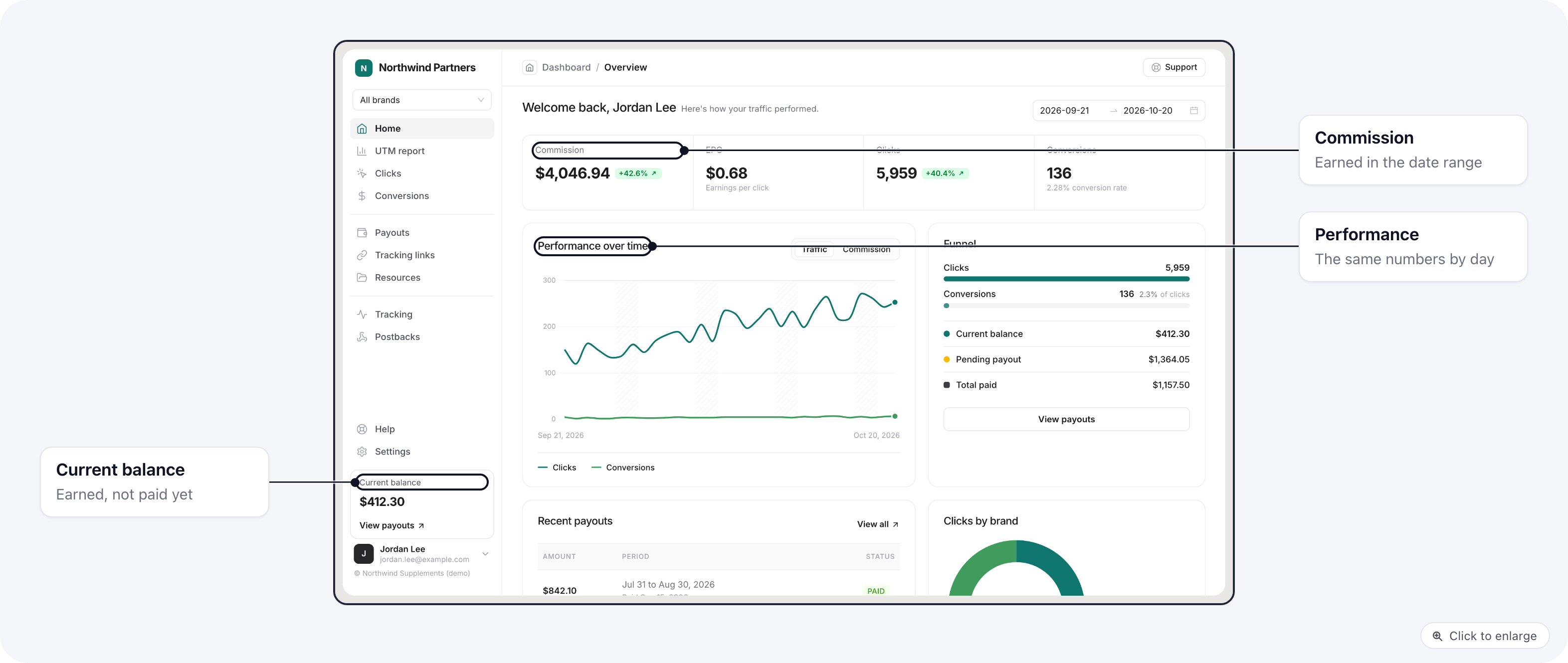 * **Commission**, **EPC** (earnings per click), **Clicks** and **Conversions** for the date range picked at the top.
* **Performance over time**: the same numbers by day.
* **Funnel**: from clicks to conversions.
* **Clicks by brand**, when they promote more than one brand.
* **Recent payouts**, and the **Current balance** they have earned and not been paid yet.
When they promote several brands, the brand picker at the top switches every report between **All brands** and
one brand. The date range they pick carries over to the other reports.
## UTM report
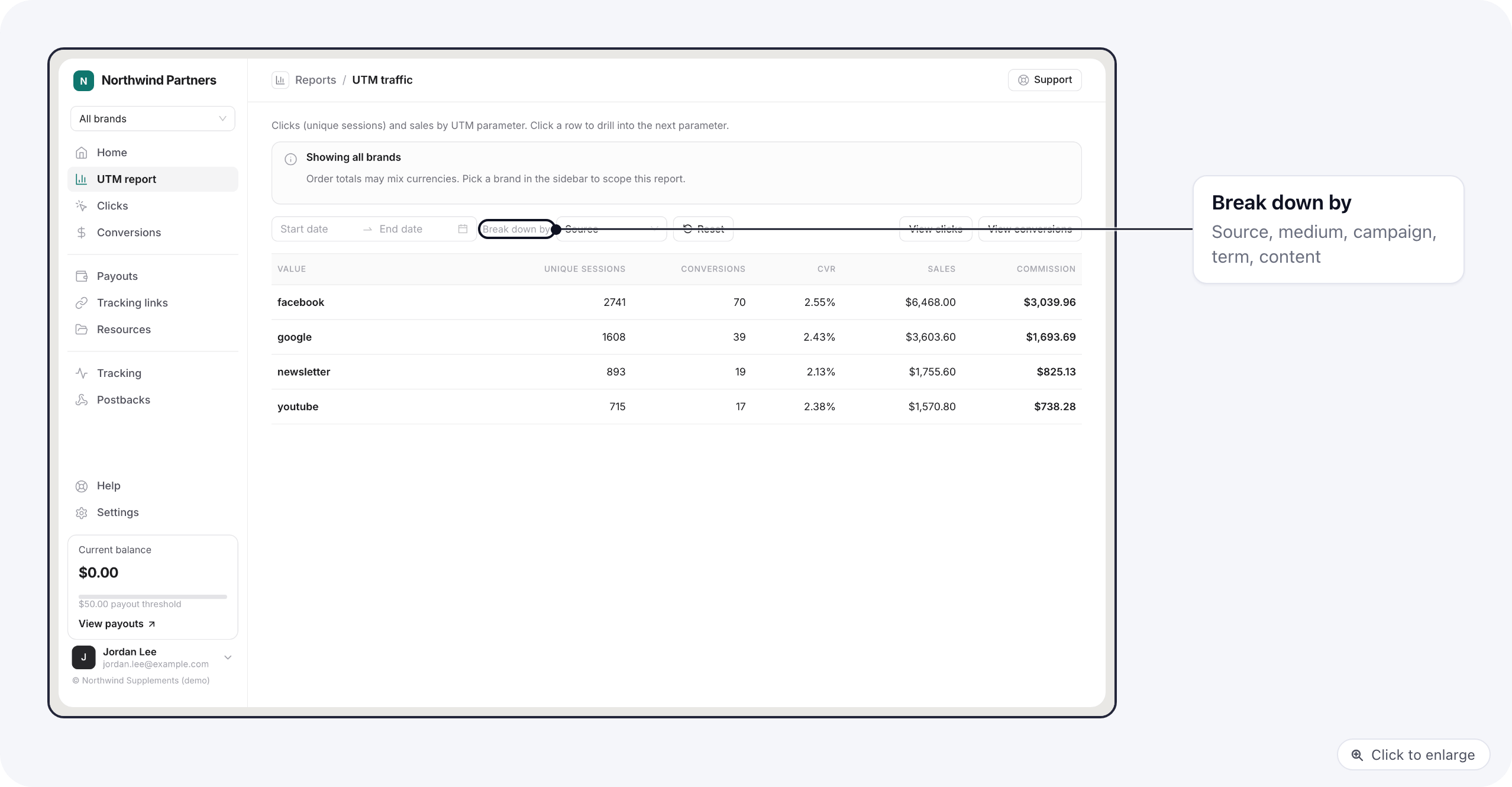
**UTM report** groups their traffic by **Source**, **Medium**, **Campaign**, **Term** or **Content**, with unique
sessions, conversions, conversion rate, sales and commission for each value. Clicking a value drills into it, for
example from a source into its campaigns, and the trail at the top goes back.
* **Commission**, **EPC** (earnings per click), **Clicks** and **Conversions** for the date range picked at the top.
* **Performance over time**: the same numbers by day.
* **Funnel**: from clicks to conversions.
* **Clicks by brand**, when they promote more than one brand.
* **Recent payouts**, and the **Current balance** they have earned and not been paid yet.
When they promote several brands, the brand picker at the top switches every report between **All brands** and
one brand. The date range they pick carries over to the other reports.
## UTM report
**UTM report** groups their traffic by **Source**, **Medium**, **Campaign**, **Term** or **Content**, with unique
sessions, conversions, conversion rate, sales and commission for each value. Clicking a value drills into it, for
example from a source into its campaigns, and the trail at the top goes back.
 ## Clicks
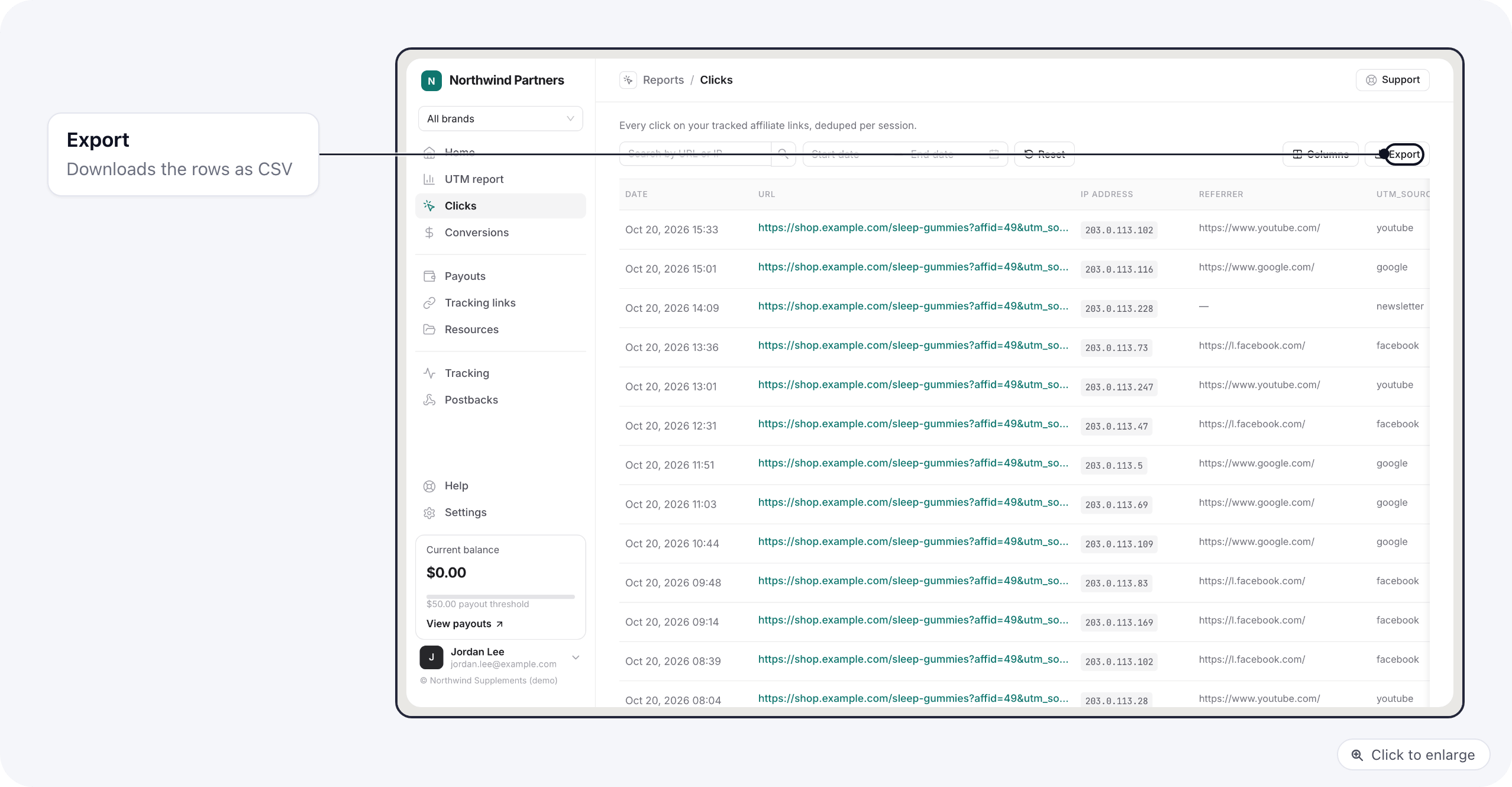
Every click on their links: date, landing URL, IP address, referrer, the five UTM values and the five sub IDs.
They can search, pick the columns to show and click a row for its details.
## Clicks
Every click on their links: date, landing URL, IP address, referrer, the five UTM values and the five sub IDs.
They can search, pick the columns to show and click a row for its details.
 ## Conversions
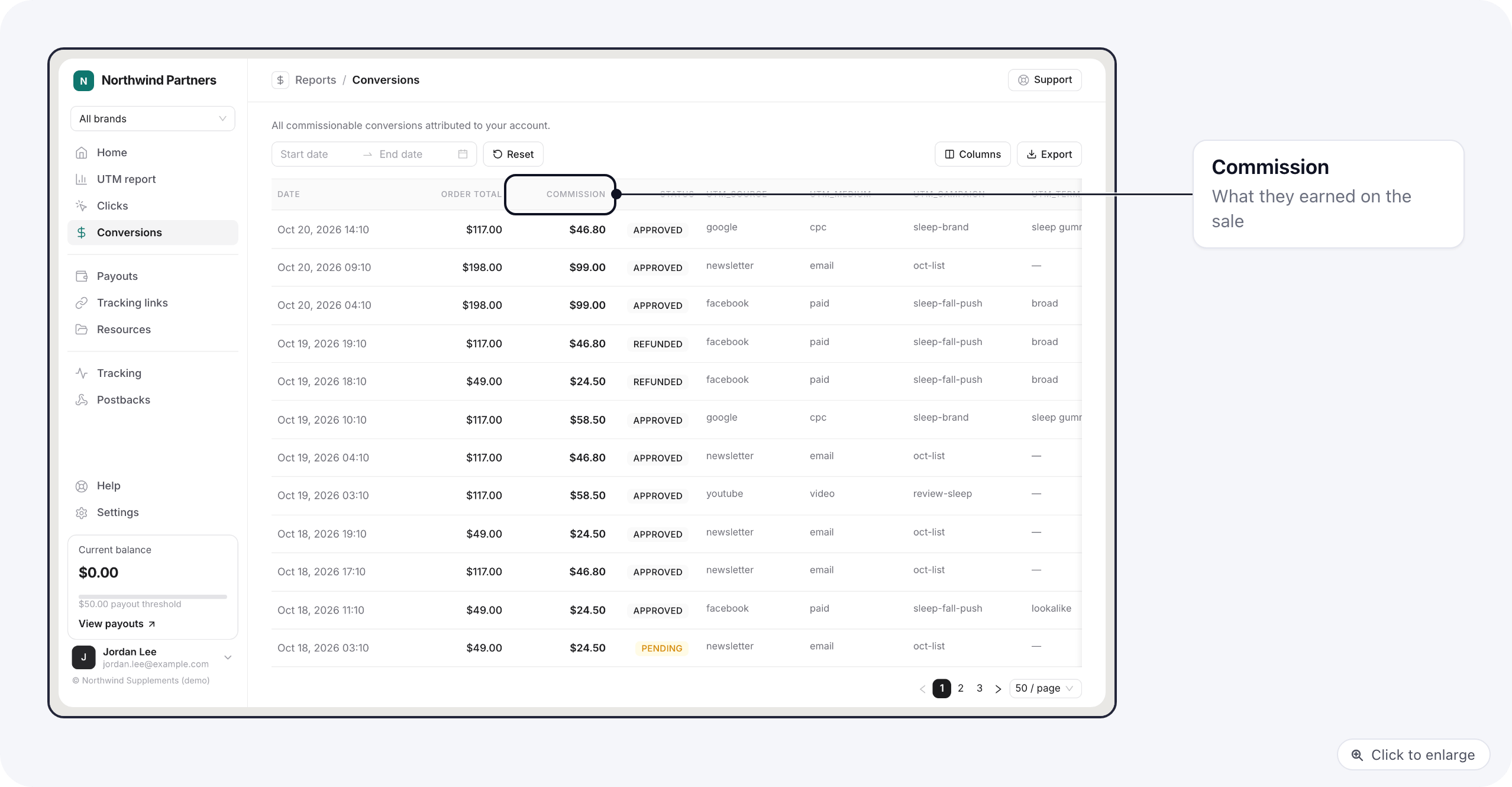
Every sale credited to them: date, order total, their commission, status, and the UTM values of the click that
brought it. The merchant's order id is not shown to affiliates.
## Conversions
Every sale credited to them: date, order total, their commission, status, and the UTM values of the click that
brought it. The merchant's order id is not shown to affiliates.
 Clicks and Conversions both have **Export** to download the rows as a CSV file.
## Related
* [Tracking links and resources](/affiliate-portal/affiliate-links): where the clicks come from.
* [Payouts on the portal](/affiliate-portal/affiliate-payouts)
This documentation is built and hosted on [Mintlify](https://mintlify.com), a developer documentation platform.
Clicks and Conversions both have **Export** to download the rows as a CSV file.
## Related
* [Tracking links and resources](/affiliate-portal/affiliate-links): where the clicks come from.
* [Payouts on the portal](/affiliate-portal/affiliate-payouts)
This documentation is built and hosted on [Mintlify](https://mintlify.com), a developer documentation platform.