> ## Documentation Index
> Fetch the complete documentation index at: https://docs.elasticfunnels.io/llms.txt
> Use this file to discover all available pages before exploring further.
# Assets for affiliates
> Publish the offer pages affiliates build links to, and the prelanders, landing pages, email swipes, banners and images they promote with.
The portal's **Assets** tab holds what you share with affiliates. Each asset belongs to one brand, and affiliates
see it on the portal when they are on that brand.
 ## Add an asset
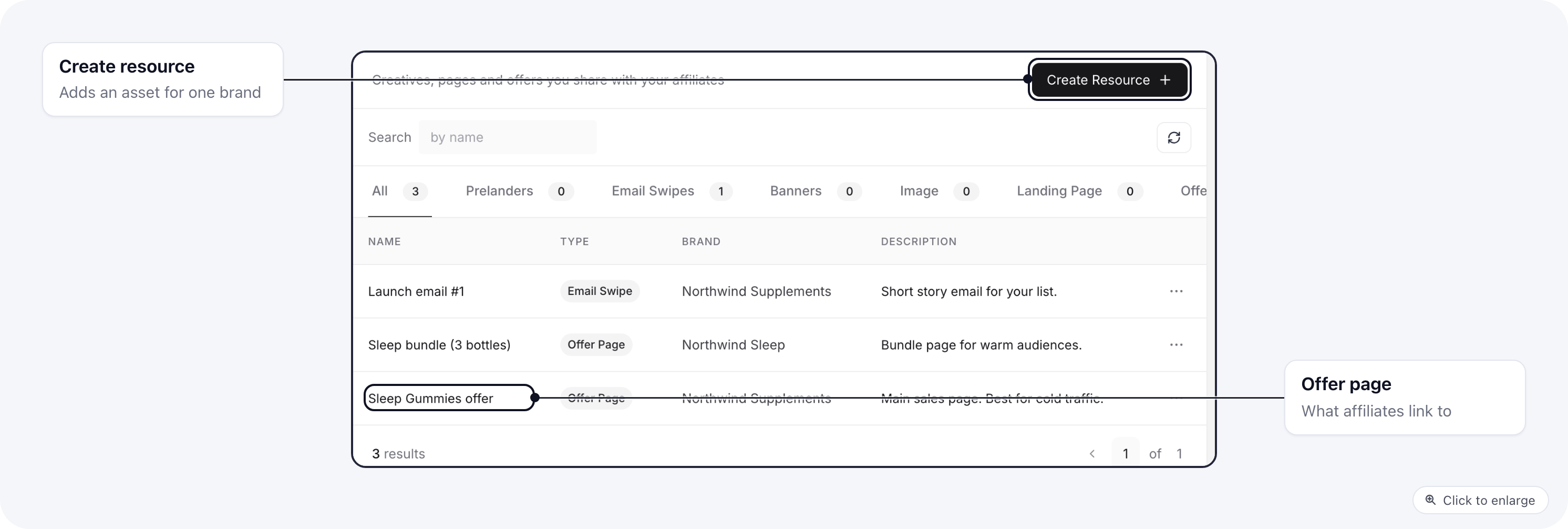
Click **Create resource**, give it a **Name**, a **Type** and a **Brand**, and add a **Description** affiliates will
read. What else you fill in depends on the type:
| Type | What you add | What the affiliate gets |
| - | - | - |
| **Offer Page** | A page from your funnels, or a **Destination URL** for an offer that is not an ElasticFunnels page. | A page they can pick in the link builder on **Links**. |
| **Prelander** | A page from your funnels. | A page they can open or clone, to send traffic to. |
| **Landing Page** | A page from your funnels. | The same: open or clone. |
| **Email Swipe** | The email content, and an optional attachment. | **Copy text** for their own mailings. |
| **Banner**, **Image** | An image file. | A preview and a **Download** button. |
## Add an asset
Click **Create resource**, give it a **Name**, a **Type** and a **Brand**, and add a **Description** affiliates will
read. What else you fill in depends on the type:
| Type | What you add | What the affiliate gets |
| - | - | - |
| **Offer Page** | A page from your funnels, or a **Destination URL** for an offer that is not an ElasticFunnels page. | A page they can pick in the link builder on **Links**. |
| **Prelander** | A page from your funnels. | A page they can open or clone, to send traffic to. |
| **Landing Page** | A page from your funnels. | The same: open or clone. |
| **Email Swipe** | The email content, and an optional attachment. | **Copy text** for their own mailings. |
| **Banner**, **Image** | An image file. | A preview and a **Download** button. |
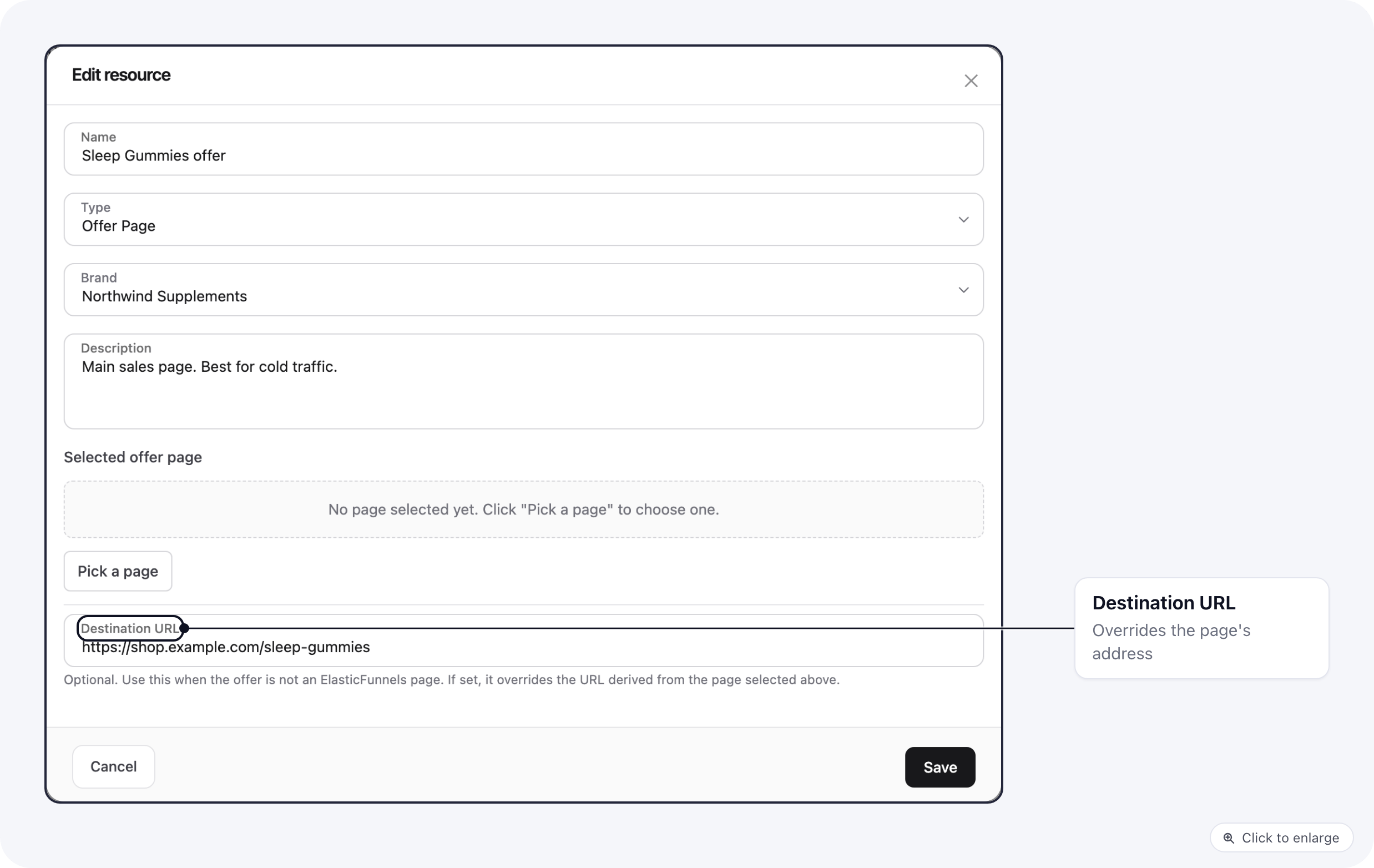 Upload a file after the asset is saved: the form says **Save the resource first, then you can upload a file**.
In an email swipe, write `{link}` where the affiliate's tracking link goes, `{affid}` for their affiliate ID and
`{brand}` for the brand name. Each affiliate gets a copy with their own values filled in. Other merge tags, such as
`{first_name}`, stay as written for the affiliate's own email tool to fill.
### Offer pages
Offer pages are what affiliates build tracking links to. Without one, the **Links** page on the portal says there
are no offer pages yet. Add at least one offer page per brand on the portal.
When an offer page has a **Destination URL**, the link uses it instead of the page's own address.
### Shared pages
A prelander or landing page has to be shared so affiliates can open or clone it. If the page you pick is not shared
yet, the form says so and turns sharing on when you save.
## Related
* [Links and resources on the portal](/affiliate-portal/affiliate-links): what affiliates see.
* [Build a tracking link for an affiliate](/affiliate-portal/affiliates#build-a-tracking-link-for-an-affiliate)
This documentation is built and hosted on [Mintlify](https://mintlify.com), a developer documentation platform.
Upload a file after the asset is saved: the form says **Save the resource first, then you can upload a file**.
In an email swipe, write `{link}` where the affiliate's tracking link goes, `{affid}` for their affiliate ID and
`{brand}` for the brand name. Each affiliate gets a copy with their own values filled in. Other merge tags, such as
`{first_name}`, stay as written for the affiliate's own email tool to fill.
### Offer pages
Offer pages are what affiliates build tracking links to. Without one, the **Links** page on the portal says there
are no offer pages yet. Add at least one offer page per brand on the portal.
When an offer page has a **Destination URL**, the link uses it instead of the page's own address.
### Shared pages
A prelander or landing page has to be shared so affiliates can open or clone it. If the page you pick is not shared
yet, the form says so and turns sharing on when you save.
## Related
* [Links and resources on the portal](/affiliate-portal/affiliate-links): what affiliates see.
* [Build a tracking link for an affiliate](/affiliate-portal/affiliates#build-a-tracking-link-for-an-affiliate)
This documentation is built and hosted on [Mintlify](https://mintlify.com), a developer documentation platform.