
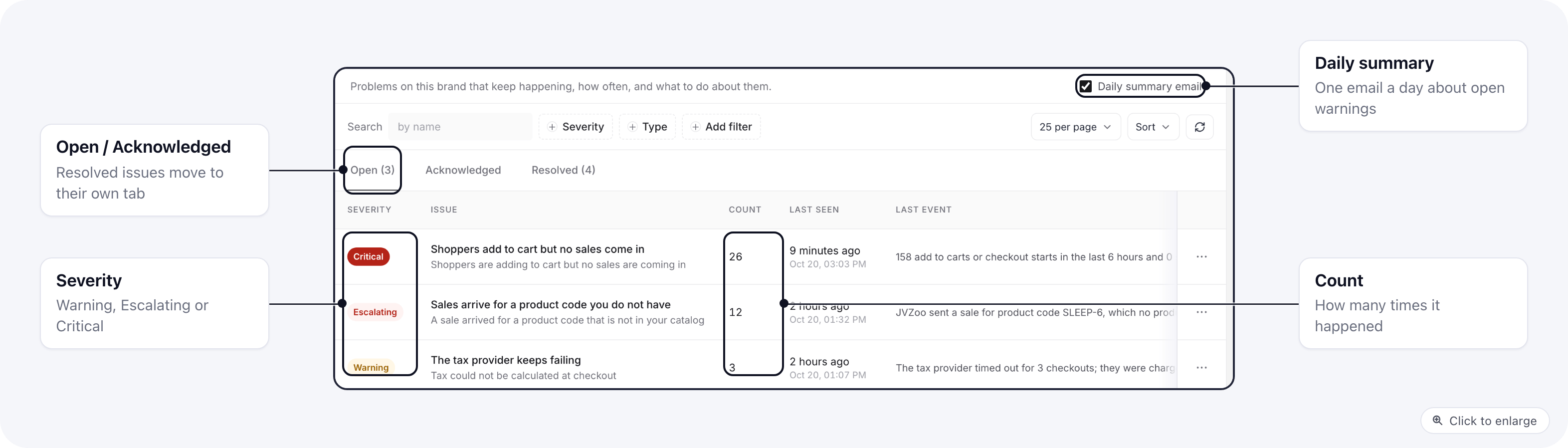
What an issue shows
The Open, Acknowledged and Resolved tabs split issues by state. Filter by severity or type with Severity and Type.
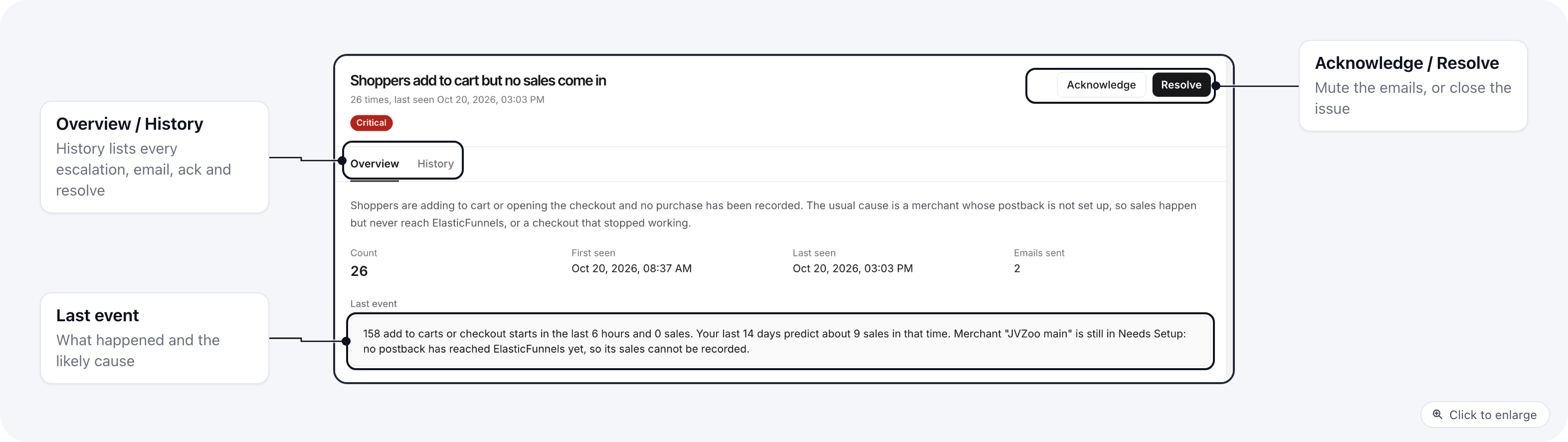
Click an issue to see the full details, a button that takes you to the screen where you fix it (for example the merchant’s postback setup), and the History tab with every escalation, email, acknowledgement and resolution.
Alert types
Shoppers add to cart but no sales come in
This check runs every 15 minutes over the last 6 hours. It opens an issue when all of these are true:- at least 25 add to carts or checkout starts in those 6 hours, and no purchase;
- and either your sales rate over the last 14 days predicts at least 3 sales in that time, or a merchant used on those carts is still in Needs Setup (no postback has ever reached ElasticFunnels).
Severity
Every issue starts as a Warning. It becomes:- Escalating after 10 occurrences or 24 hours;
- Critical after 50 occurrences or 72 hours.
Emails
Emails go to the brand’s owners and admins, in each person’s language:- No email on the first occurrence. A one-off does not need you.
- One email when an issue becomes Escalating.
- An immediate email when an issue becomes Critical, and a reminder once a day while it keeps happening.
- At most one email per issue per 24 hours, and at most 3 alert emails per brand per day. Critical emails are always sent.
Acknowledge and resolve
Brand owners and admins can act on an issue from its row menu or its detail page. Acknowledge says “we know, we are on it”. The issue stops sending emails but keeps counting. It comes back to Open and emails again when:- the same problem shows up with a new cause or on another item (for example a second merchant);
- the count doubles since you acknowledged it;
- it is still happening 7 days after you acknowledged it.
- when the clearing event happens (a purchase arrives, the merchant postback works, the product is added);
- after 24 hours with no new occurrence (7 days for integrations, ad accounts and the tax provider, which fail less often).
Related
- Brand actions and alerts for suggestions you can preview and apply.
- Postback URLs for setting up a merchant postback.