
What uses credits
Credits are spent when ElasticFunnels’ own AI does the work for you, for example:- the AI editor and the AI agent that builds and edits pages
- generating and modifying pages, components and prelanders
- the AI quiz builder and AI translations
- generating images for kits (Kit images)
- AI replies and suggestions elsewhere in the app
If a feature runs on your own API key (an AI integration you connected with your own provider account), it uses no credits. Your provider bills you directly.
Monthly credits and purchased credits
Your balance has two parts.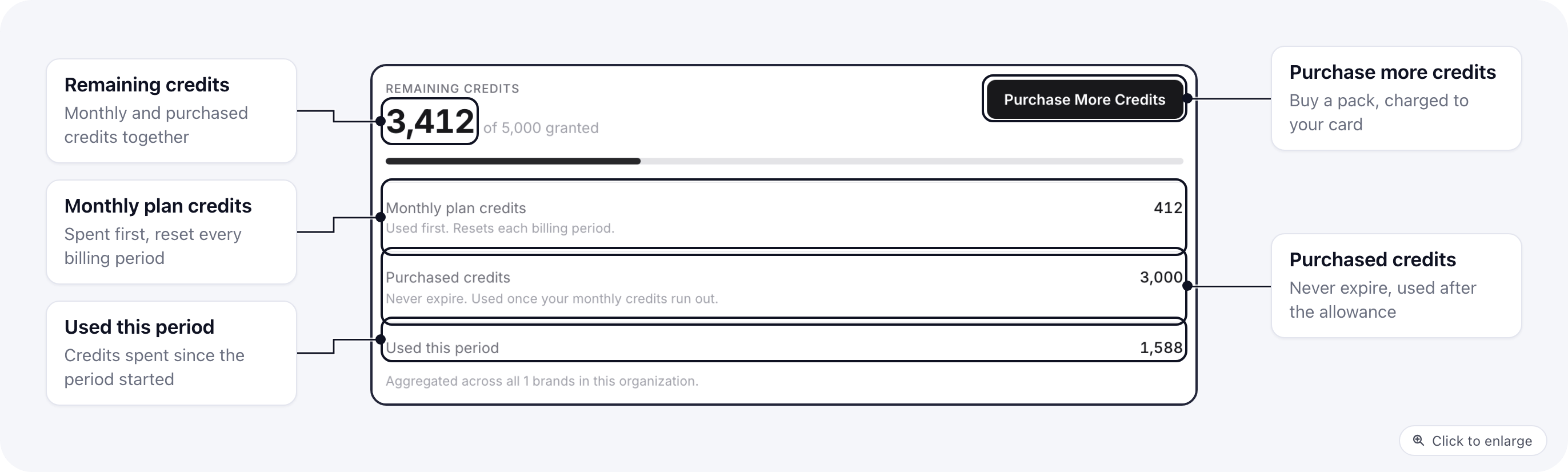
Monthly plan credits are always spent first. Purchased credits are used only once the monthly credits for the period run out, so a pack you bought keeps its value when your plan renews.
Remaining credits at the top is both parts added together. Used this period counts what was spent since the current billing period started.
If your brand is billed through an organization, every brand in the organization shares one balance. You see it under Organization Billing, on the AI Credits tab.
Buy more credits
- Open Billing and go to the AI Credits tab. For a brand billed through an organization, open Organization Billing instead.
- Click Purchase More Credits.
- Pick a pack and the card to charge, then click Purchase credits.
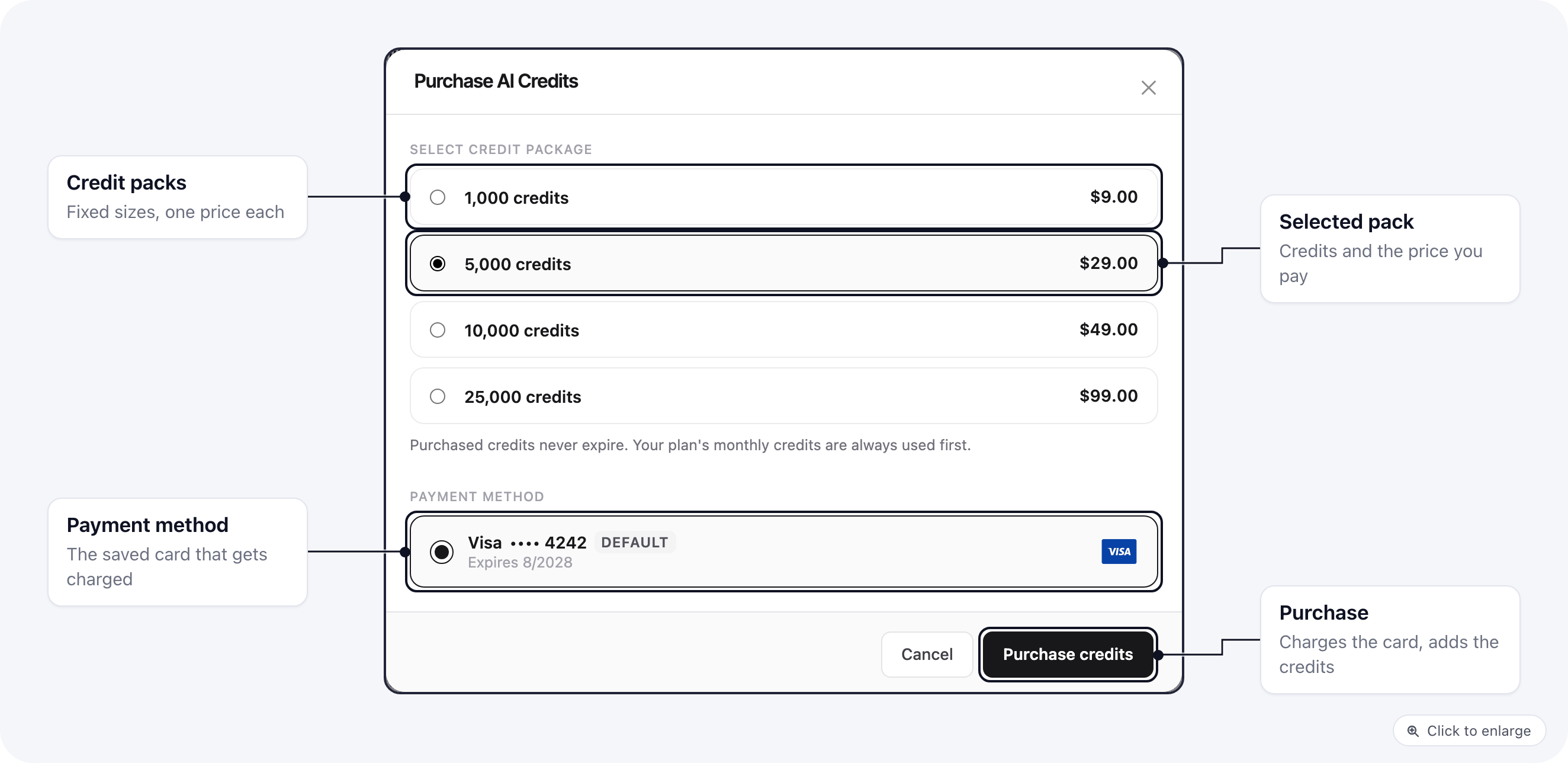
Your card is charged right away and the credits are added once the payment goes through. If the payment fails, nothing is added. Only these pack sizes can be bought. You need a saved card first: add one on the Payment Cards tab.
Credits bought for a brand that is billed through an organization go into the organization’s shared balance.