
Turning it on
1
Have a page in two languages
Set up your languages and at least one translated page. See
Multilingual sites.
2
Pick the prompt
In Pages → Advanced → Translations, under Language URLs, set
Language suggestion, or use the CLI: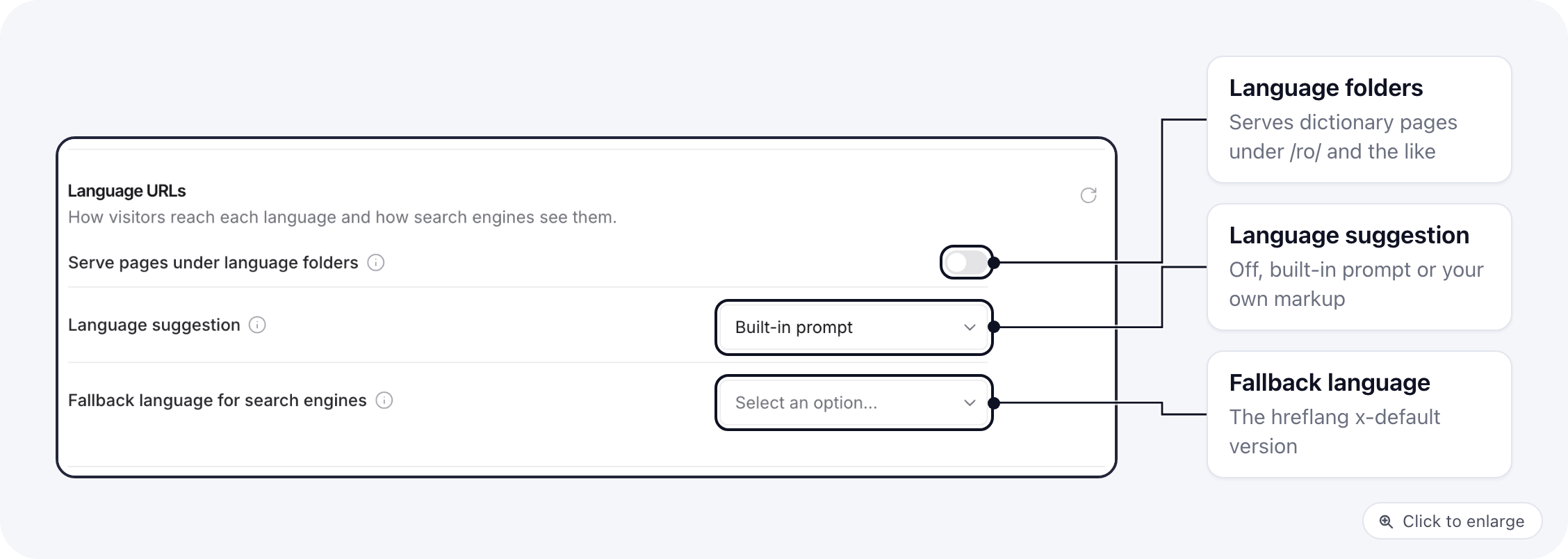
3
Check it
Open a translated page in a browser set to the other language, in a private
window (a stored choice hides the prompt).
When the prompt shows
ElasticFunnels picks at most one language to suggest:- The visitor’s browser languages (
navigator.languages), in their order. - If none of those match, the language of the visitor’s country.
- It never redirects. The visitor moves only by clicking.
- No prompt for bots. Search engine crawlers and automated browsers
(
navigator.webdriver) get no suggestion, so every version is crawled as it is. - Once per visitor. Accepting or dismissing stores the choice in the
ef_lang_choicecookie (ro, ordismissed:ro; 180 days, whole site) and in local storage. A dismissed suggestion does not come back. - An accepted language follows the visitor. After choosing Romanian, a page that has a Romanian version suggests it, even when the browser says otherwise.
The built-in prompt
With Built-in prompt, a small card at the bottom of the page names the language and offers two buttons: go to that version, or stay. It is a plain white card in the visitor’s system font.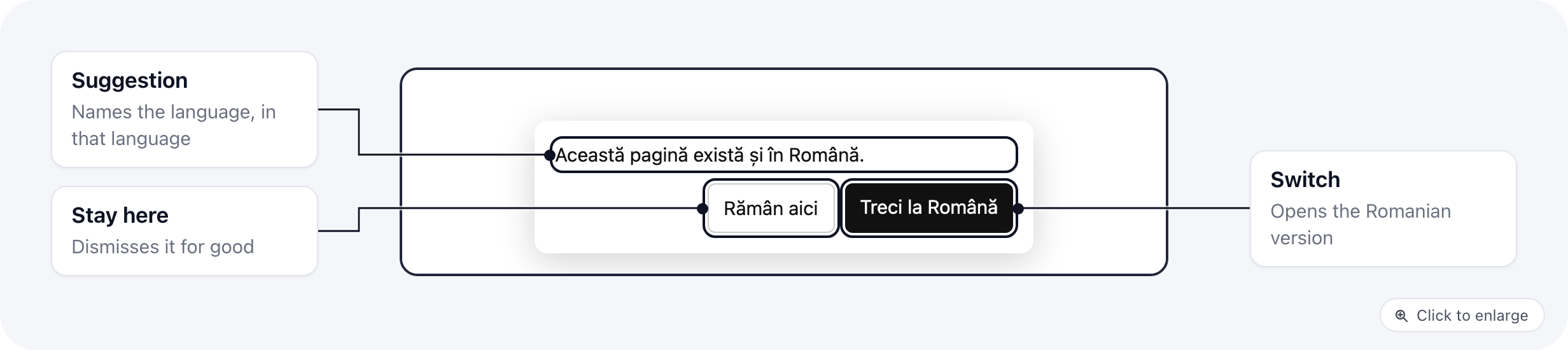
Your own prompt
With My own markup (or Built-in prompt, when the page has its own), your markup and styles are the prompt. ElasticFunnels shows it, fills it in and handles the clicks. Put the element on the page, or in a component every page includes, with thehidden attribute so it stays out of sight until there is something
to suggest.
A complete example, a card in the corner with its own styles and a short
script that writes the sentence in the suggested language:
lp- class names, the colours and the texts are all yours. Only the
data-ef-lang-* attributes matter to ElasticFunnels. With dictionary pages,
write the texts as t() keys instead of the script’s list.
A language switcher
Add an element withdata-ef-lang-switcher. Leave it empty and ElasticFunnels
fills it with one link per language the page exists in, the current one marked
with aria-current:
data-ef-lang-option="<code>". ElasticFunnels sets their href, hreflang,
lang and aria-current, and leaves everything else alone:
translations
variable; see Template variables.
For developers: the window.ef.i18n API
On pages that exist in another language, window.ef.i18n is available from the
page’s <head> onwards. On other pages it is not defined, so check for it:
window.ef && window.ef.i18n.
current is the page’s language code. languages lists every version:
{ code, hreflang, name, url, current }. choice is the stored choice ('ro'
or 'dismissed:ro'), or null.
Events
The page fires these events onwindow:
Each carries the same
detail:
source is prompt for a click in the prompt, api for a call to
window.ef.i18n, switcher for a switcher link, and stored for a suggestion
that comes from a language the visitor accepted earlier.
Google Tag Manager
Every choice is also pushed todataLayer:
action is accepted or dismissed. In Google Tag Manager, a Custom
Event trigger on ef_language_choice and a Data Layer Variable
ef_language.lang tell you which languages visitors pick.
Related
- Multilingual sites: linked pages, dictionary pages, prefix routing.
- SEO: the
hreflangtags written for each version. - Privacy & consent: the cookie banner, built on the same pattern.