
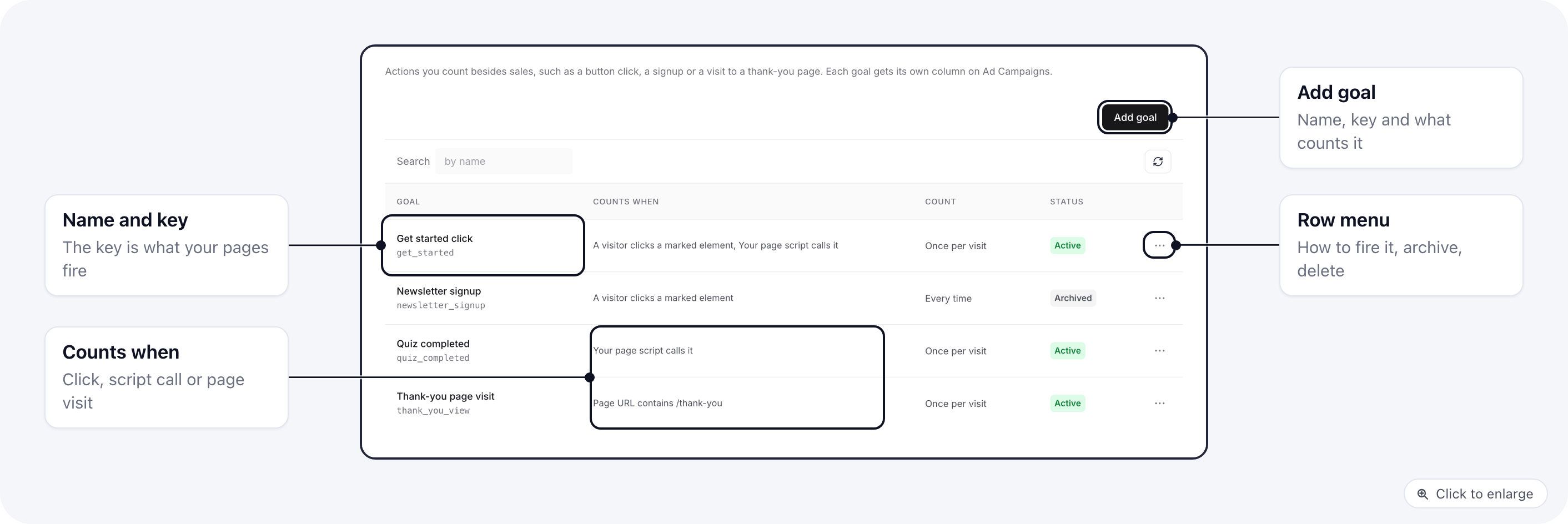
Add a goal
- Open Settings → Goals and click Add goal.
- Fill in the fields below and click Create goal.
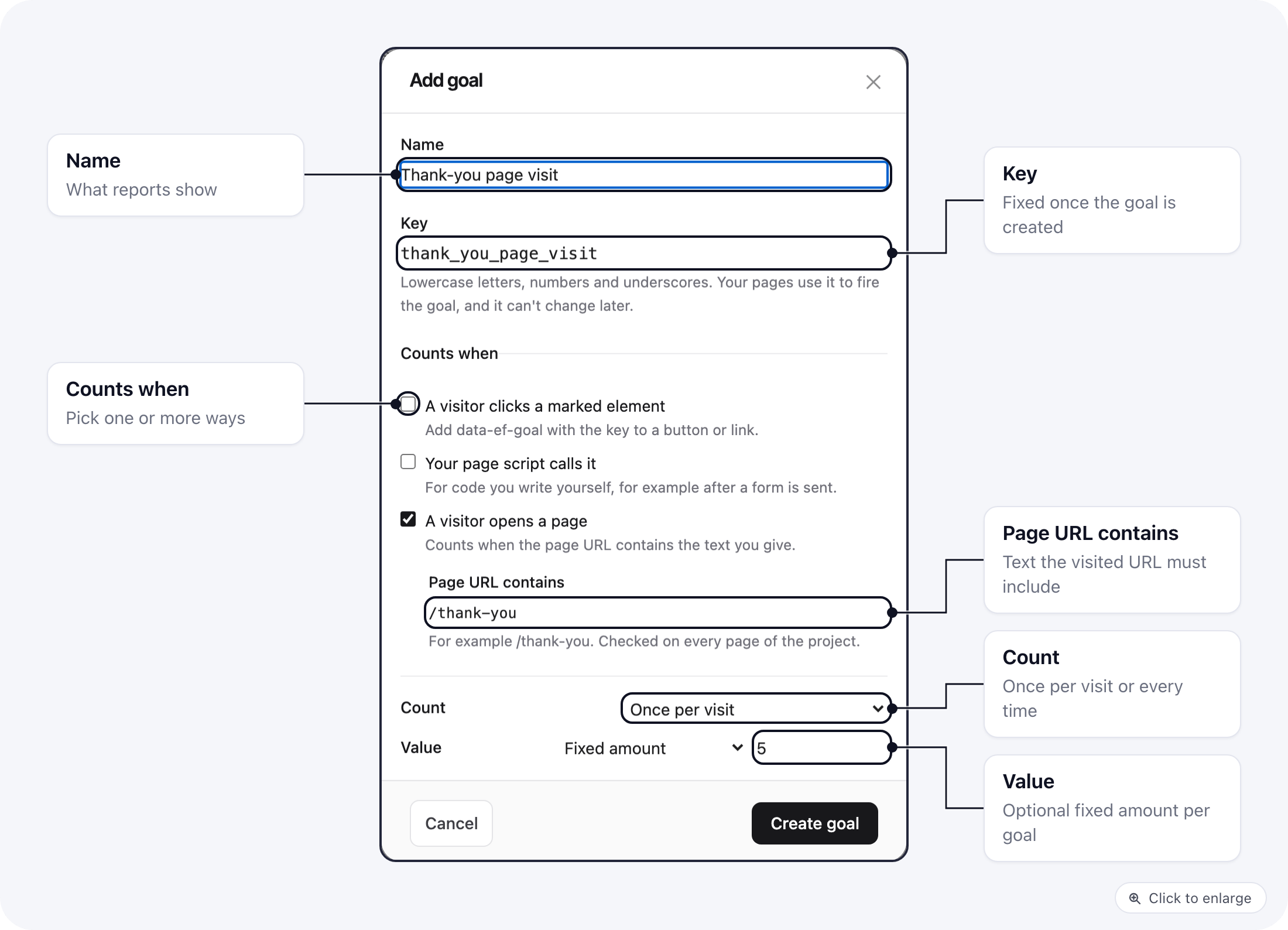
A project can have up to 50 goals.
Fire a goal
Every ElasticFunnels page already loads the tracking script goals need, so there is nothing to install. Pick the way that fits the action.A visitor clicks a marked element
Tick A visitor clicks a marked element, then adddata-ef-goal with the goal’s key to the button or link:
<span>), counts. It works on any element, not only links and buttons:
Your page script calls it
Tick Your page script calls it, then callef.goal() with the key from your own code. Use this for actions a single click can’t capture, such as a form that was sent or the last question of a quiz:
ef.goal() is safe to call as soon as the page starts loading. Calls made before the tracking script is ready wait and are sent once it is.
A visitor opens a page
Tick A visitor opens a page and enter the text the URL must contain in Page URL contains. There is no code to add: every page view in the project is checked, and a view whose URL contains the text counts the goal.
The text is matched against the page path and query string. Keep it specific:
/thank also matches /thanks-for-reading.
See the snippet for a goal
Open a goal’s row menu and choose How to fire it. The window shows the code for each way the goal allows, with its key already filled in.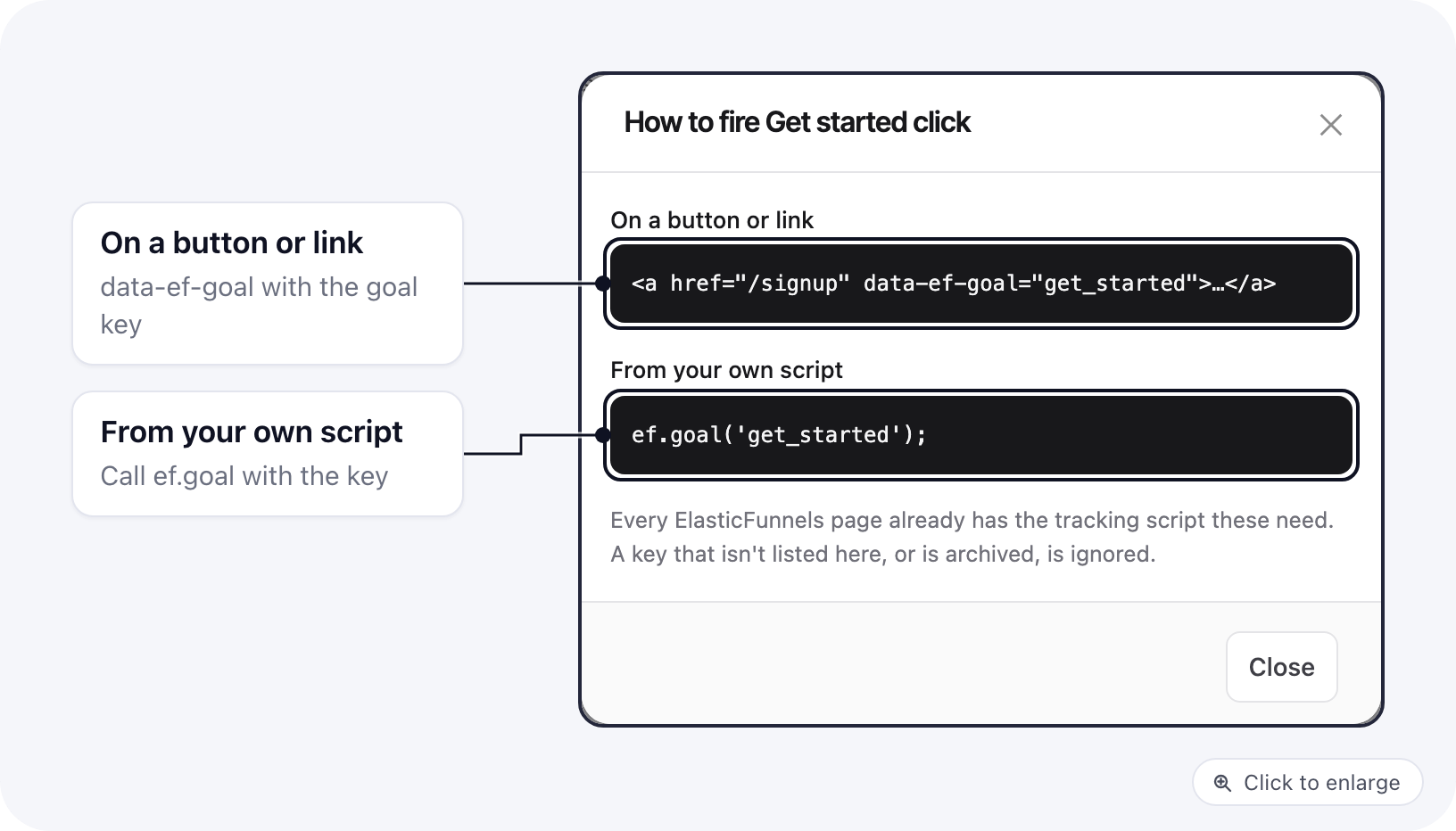
Edit, archive or delete a goal
From the row menu:- Edit changes the name, the ways it counts, the URL text, the count mode and the value. The key stays the same.
- Archive stops counting the goal and keeps its history. Its columns stay available on Ad campaigns and are left out of the defaults. Restore makes it count again.
- Delete removes the goal. Pages that still fire it stop counting, and its columns leave Ad campaigns. Archive instead when you want to keep the numbers.
Where goals show up
On Reports → Ad campaigns, click Columns in the table toolbar. Each goal offers three columns: its count, its rate per visitor and the cost per goal, for every campaign, ad set and ad. Each active goal’s count is among the default columns; if you already saved a column choice, add the new goal’s columns in the drawer. See Goal columns. Goals are matched to ads the same way as sales: by the UTM parameters on your ad links. Set those up as described in Setting up UTM tracking.Good to know
- A visitor who hasn’t given analytics consent, where your project asks for it, is not counted.
- Goals are counted in ElasticFunnels reports. They are not sent to Meta or other ad platforms.
- Goals you set in the page builder for a split test are separate from this list. They count on the split test report.