
How it fits together
Tie a page to an affiliate
- Create the partner under Affiliates if they don’t exist yet.
- In Pages, open the page’s menu and choose Settings.
- Open Tracking and pick the partner in Page affiliate.
- Save.
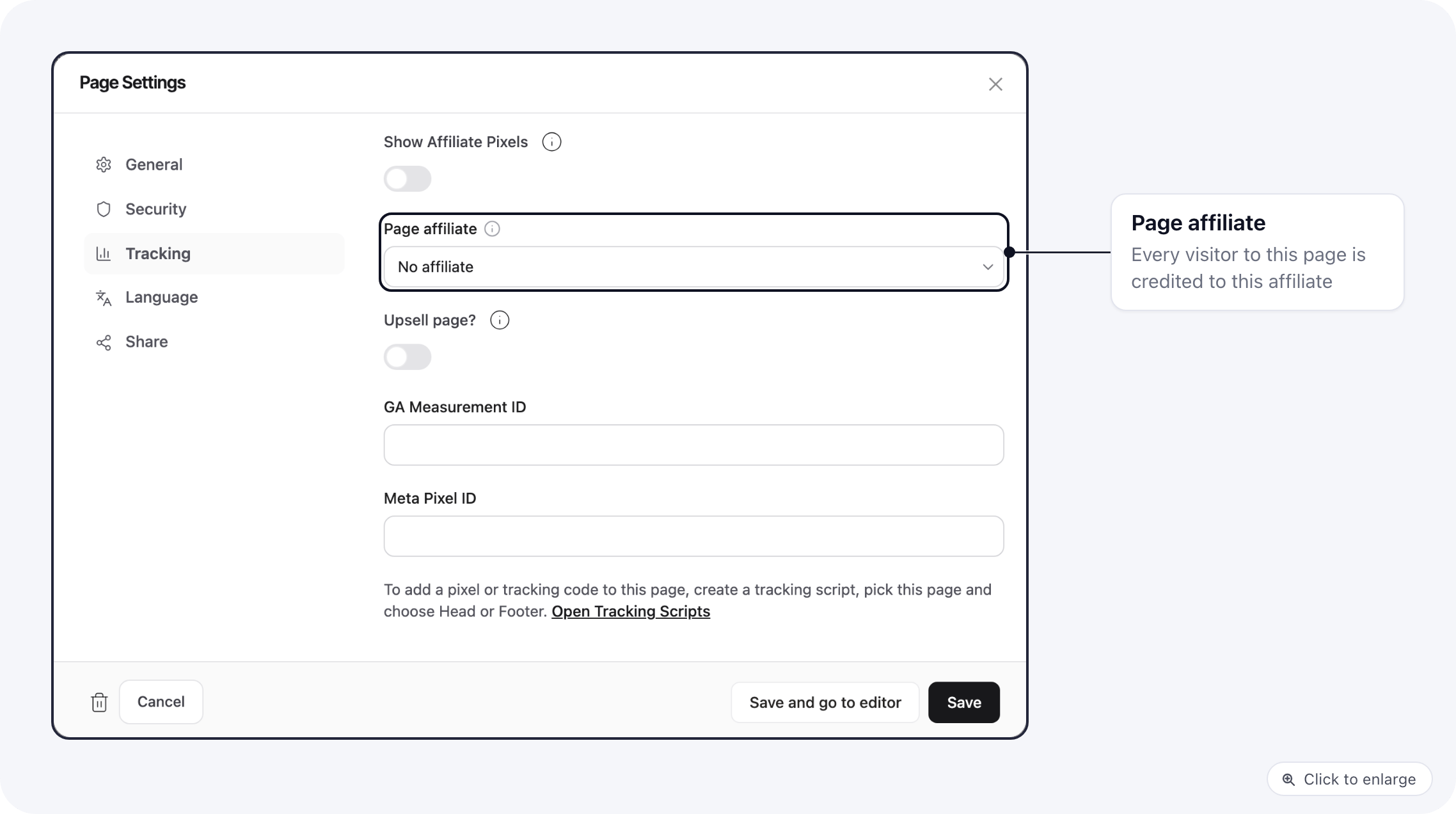
- Every visitor who lands on the page is credited to that affiliate. The ad link needs no affiliate parameter.
- It replaces any affiliate in the link, or one left from an earlier visit. A visitor who later lands on another partner’s page moves to that partner.
- The affiliate stays with the visitor through the following pages, the checkout and the upsells, so that partner’s tracking scripts keep firing on those steps.
- Sub IDs and UTM parameters in the link still count.
- Page versions use the same affiliate as the main page.
Page affiliate works on domains that use your own checkout, such as Stripe or NMI, and needs a merchant on the domain. On ClickBank, BuyGoods and other merchants that track their own affiliates, the setting is ignored.
Publish from your own page editor
If you edit pages in your own tool, it can publish through the API so nobody has to open ElasticFunnels.- Copy a page for a new version:
POST /api/brands/{brand}/pages/{page}/clonewithtitleandslug. The response holds the new page’sid. - Update the content:
POST /api/brands/{brand}/pages/{page}/editorwithhtmlanddraft: false. This goes live immediately. Sendexpected_revision_idto avoid overwriting a change someone made in the meantime. - Add it to the funnel and credit the partner:
POST /api/brands/{brand}/funnels/{funnel}/entry-pageswithpage_idandaffiliate_id. See Funnels API. - Get the link to run:
GET /api/brands/{brand}/pages/{page}/editor/live-url. - Undo a bad publish:
GET /api/brands/{brand}/pages/{page}/revisions, thenPOST /api/brands/{brand}/pages/{page}/revisions/{revision}/restore-to-current.
- An API key opens the whole brand. Keep it on your server, never in browser code, and have your server decide which pages each partner may touch.
- Let partners edit set fields, such as headline, video and colors, in a template you control. Raw HTML from a partner can break buy links and tracking.
- Publishing is live on your domain right away. If claims need checking, approve the change in your tool before you call the API.
- A draft page is still public at its URL. Only the
offlinestatus hides a page.