partners.example.com.
1. Create the portal
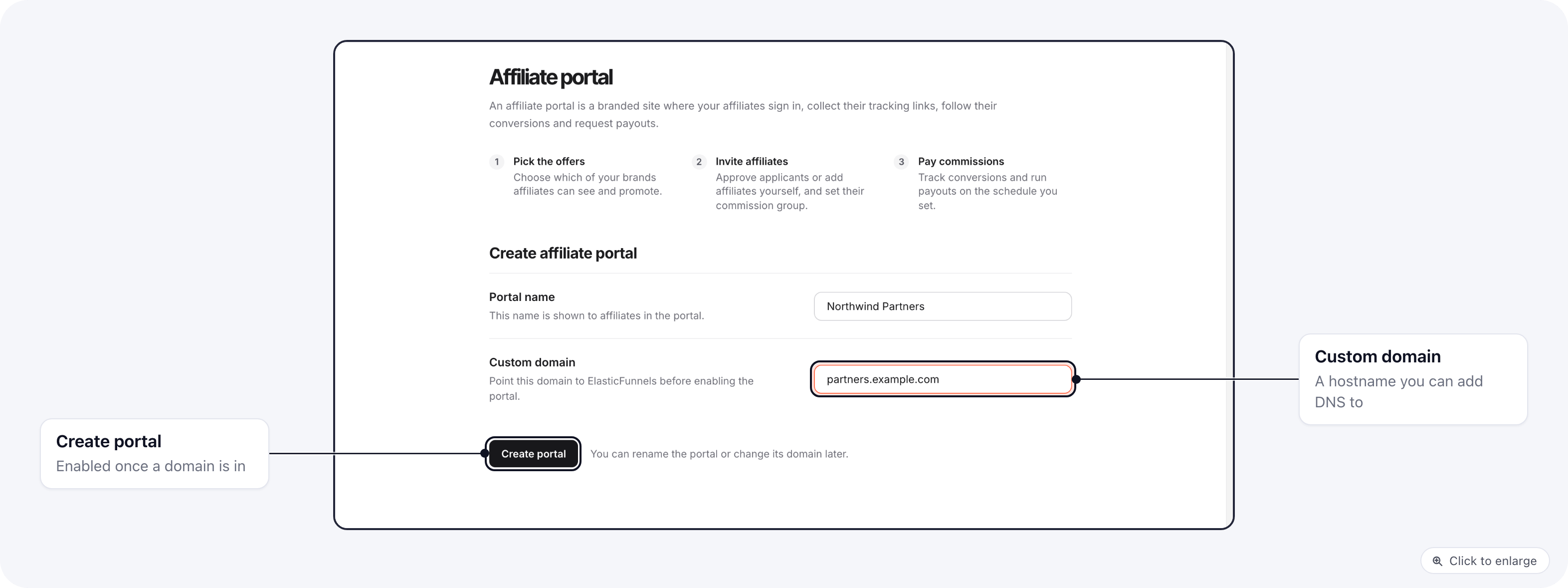
Open Organization settings → Affiliate portal. Fill in:- Portal name: the name of your affiliate program, for example “Northwind Partners”. You can change it later.
- Custom domain: the hostname the portal will answer on, for example
partners.example.com. Use a domain you can add DNS records to. Domains of the ElasticFunnels platform itself are refused, and so is a domain another portal already uses.
2. Add the DNS records
Right after you create it, the portal is Pending. Its Overview tab lists the records to add at your DNS provider: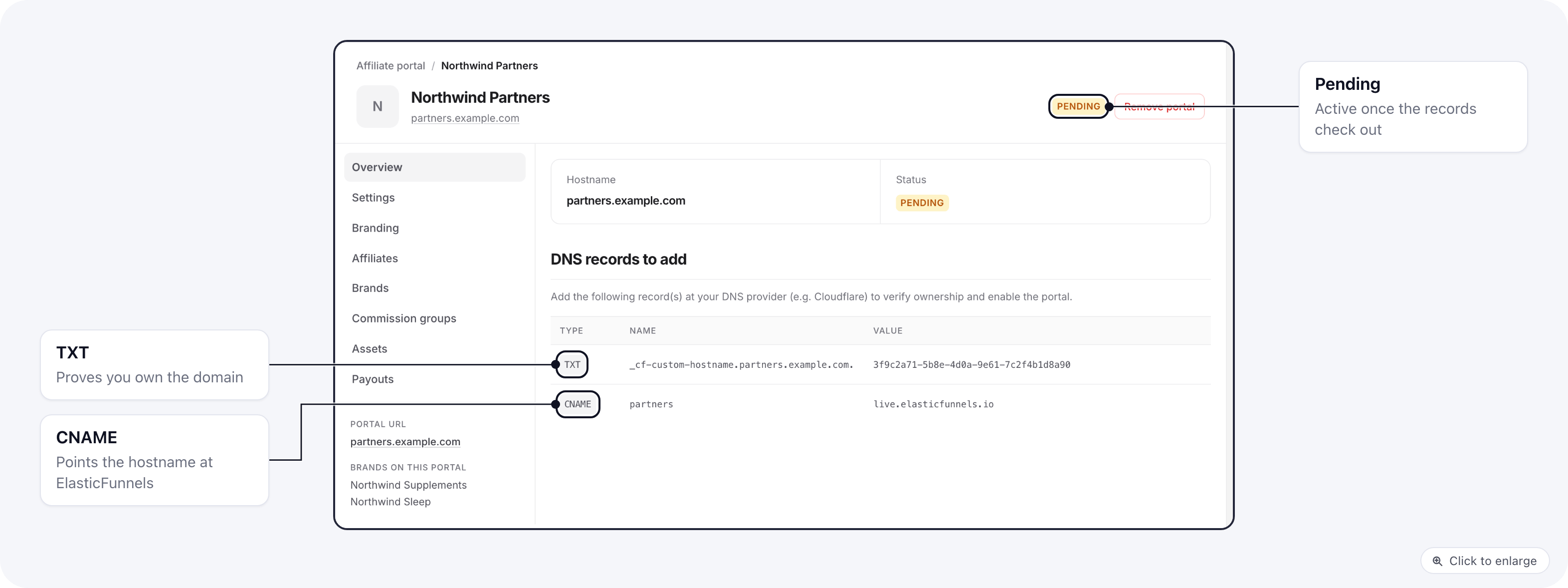
3. Work through the setup checklist
The Overview tab opens with a Setup checklist: what the portal still needs before affiliates can sign up, promote and get paid. Each open item says what is missing, and Open takes you to the section that fixes it.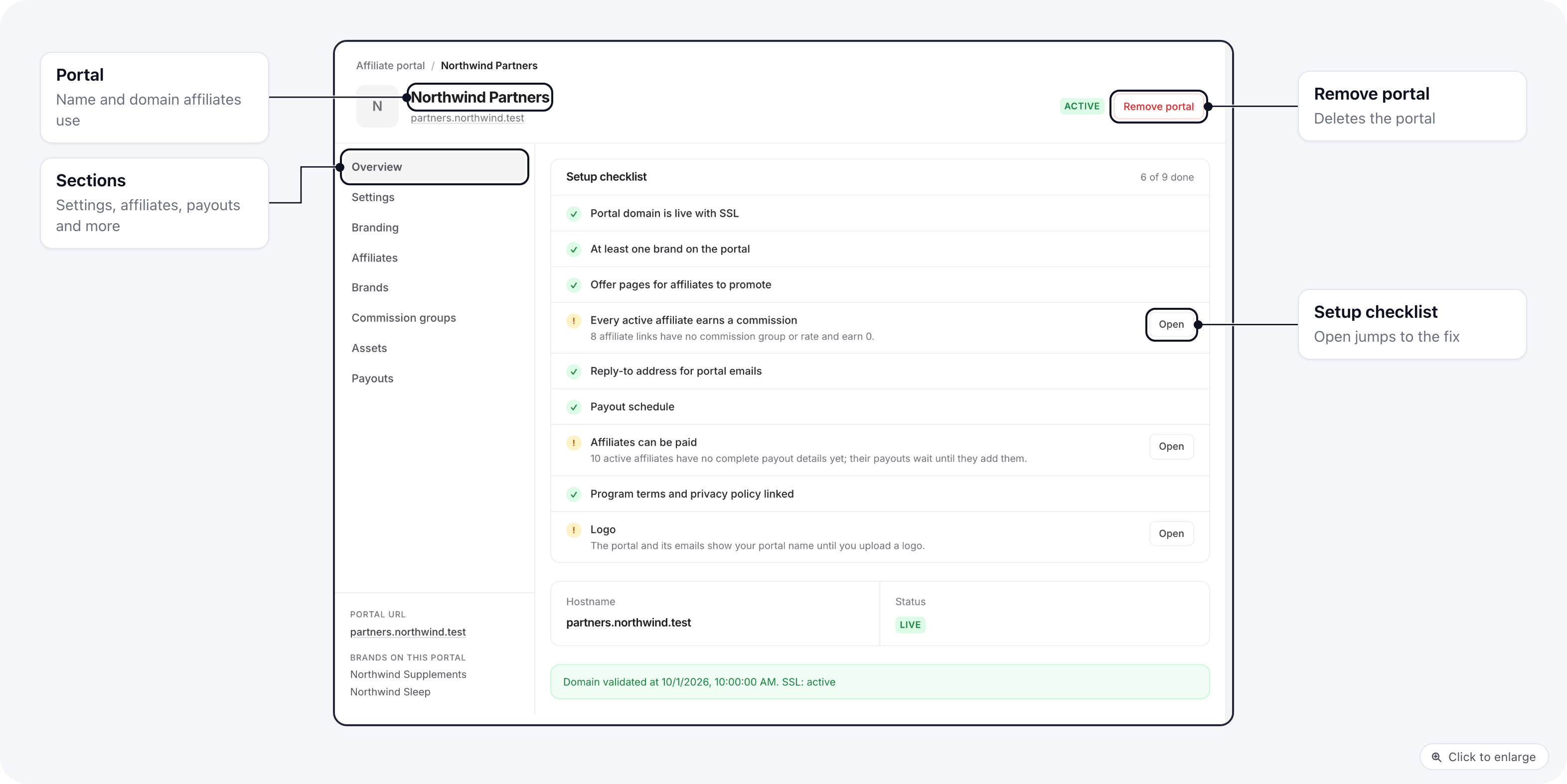
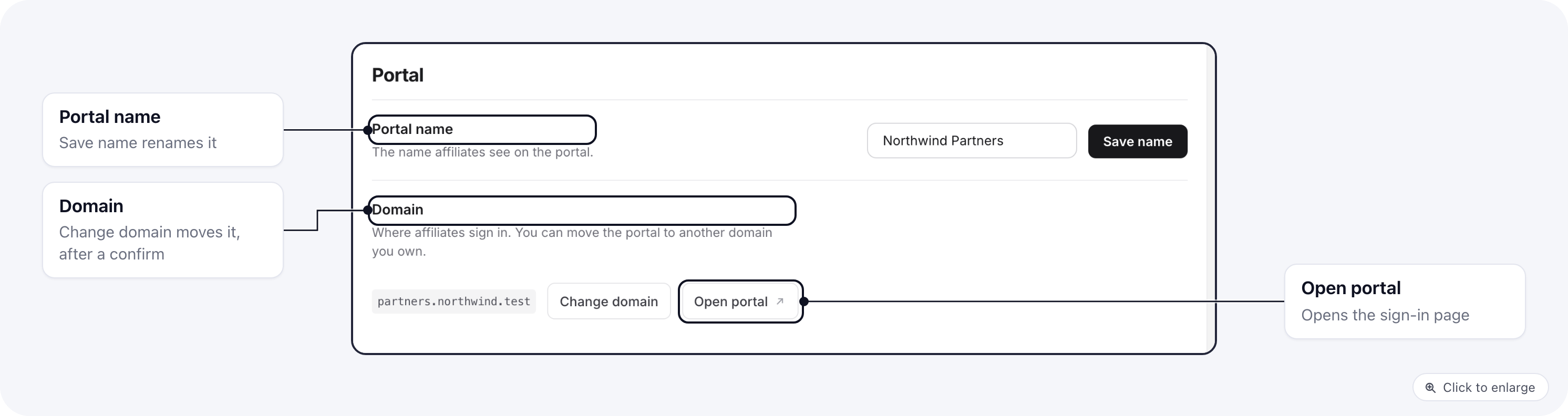
Rename the portal or change its domain
In the Settings tab, change Portal name and click Save name. Open portal opens the portal’s sign-in page in a new tab.