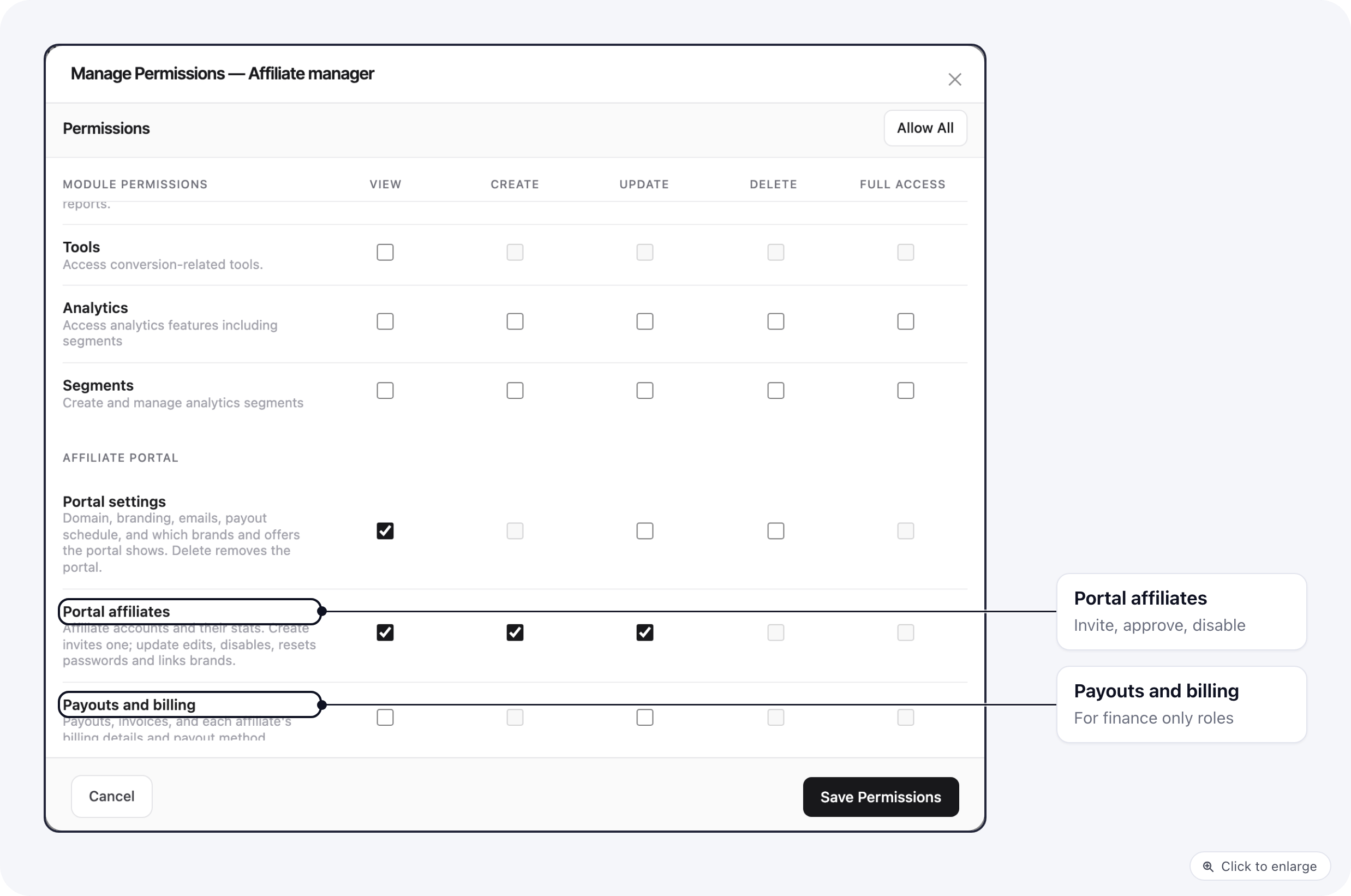
Access to the portal is set per role, in Organization settings → Roles. Open a role’s menu, pick Manage permissions and scroll to the Affiliate portal group. Each row is one part of the portal, with its own View, Create, Update and Delete boxes. Only the organization owner can change roles. Manage permissions for an Affiliate manager role: the Affiliate portal group with View on Portal settings and View, Create and Update on Portal affiliates The portal shows only the tabs a role can view. A role with no View box ticked in this group does not see Affiliate Portal in the organization menu.

Common setups

  • Affiliate manager: View and Update on Portal affiliates, plus Create to invite. View on Commission groups.
  • Finance: View and Update on Payouts and billing only.
  • Creative team: everything on Assets only.
The full list of permission keys is in Roles and permissions.