
Overview
The Attentive integration lets you keep Attentive for SMS while your funnels, split tests, email and analytics run in ElasticFunnels. Automation steps subscribe people to Attentive texts and emails, set custom attributes on them, and send events that start your Attentive journeys: leads, abandoned checkouts, purchases, refunds, chargebacks, cancelled subscriptions and declined upsells. It works with orders from every merchant ElasticFunnels supports, including ClickBank, BuyGoods, Digistore24 and JVZoo, as well as your own checkout.What you get
Steps find the person by phone, email or both. Phones are sent in international format; a 10-digit number is read as a US number.
Setup
1
Create a custom app in Attentive
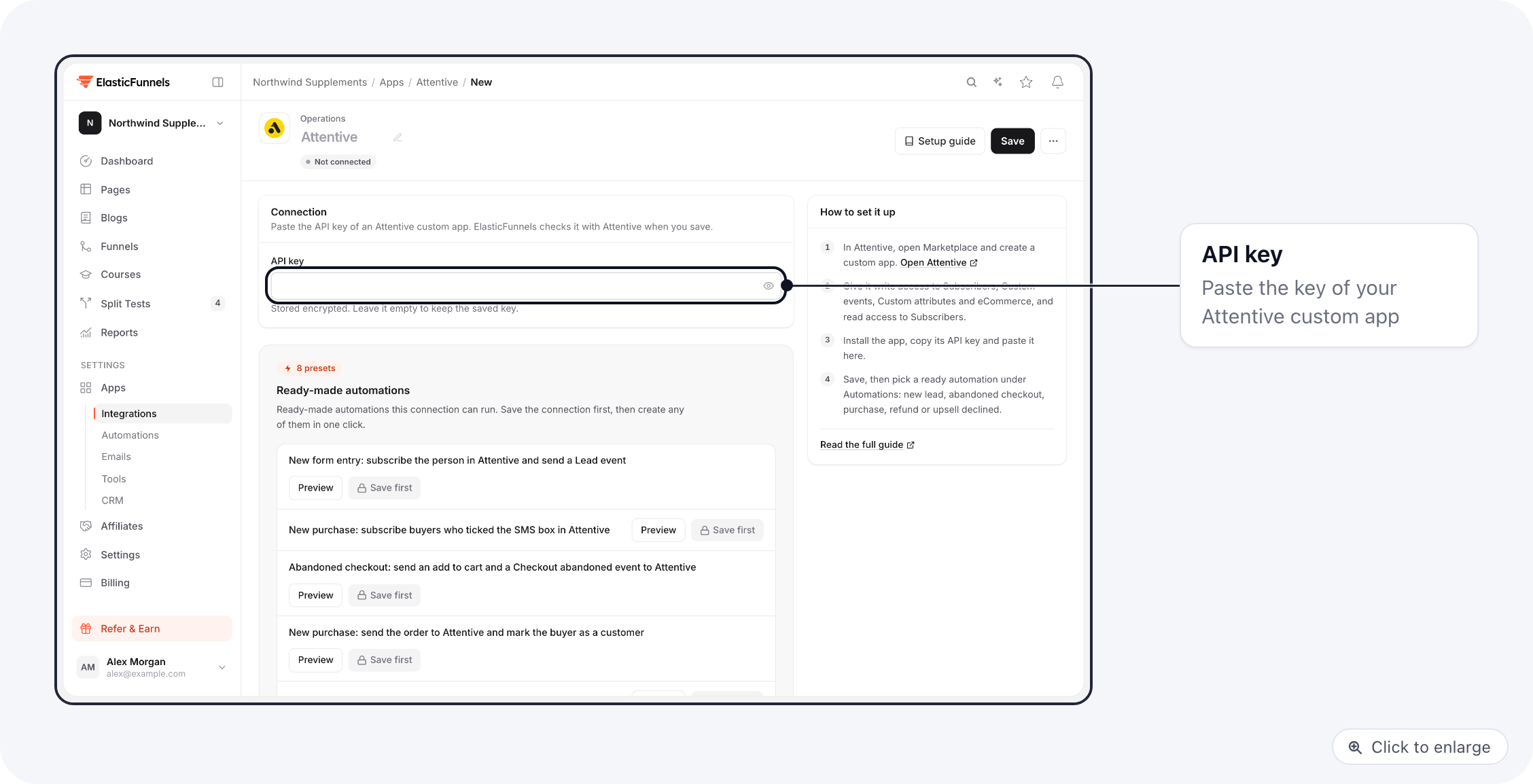
Log in to Attentive, open Marketplace and create a custom app. Give it write access to Subscribers, Custom events, Custom attributes and eCommerce, and read access to Subscribers. Install the app and copy its API key.
2
Connect it in ElasticFunnels
Go to Integrations, open Attentive, give the connection a name and paste the API key. Save. ElasticFunnels checks the key with Attentive when you save and shows an error if Attentive refuses it. Test connection runs the same check later.
3
Add the automations
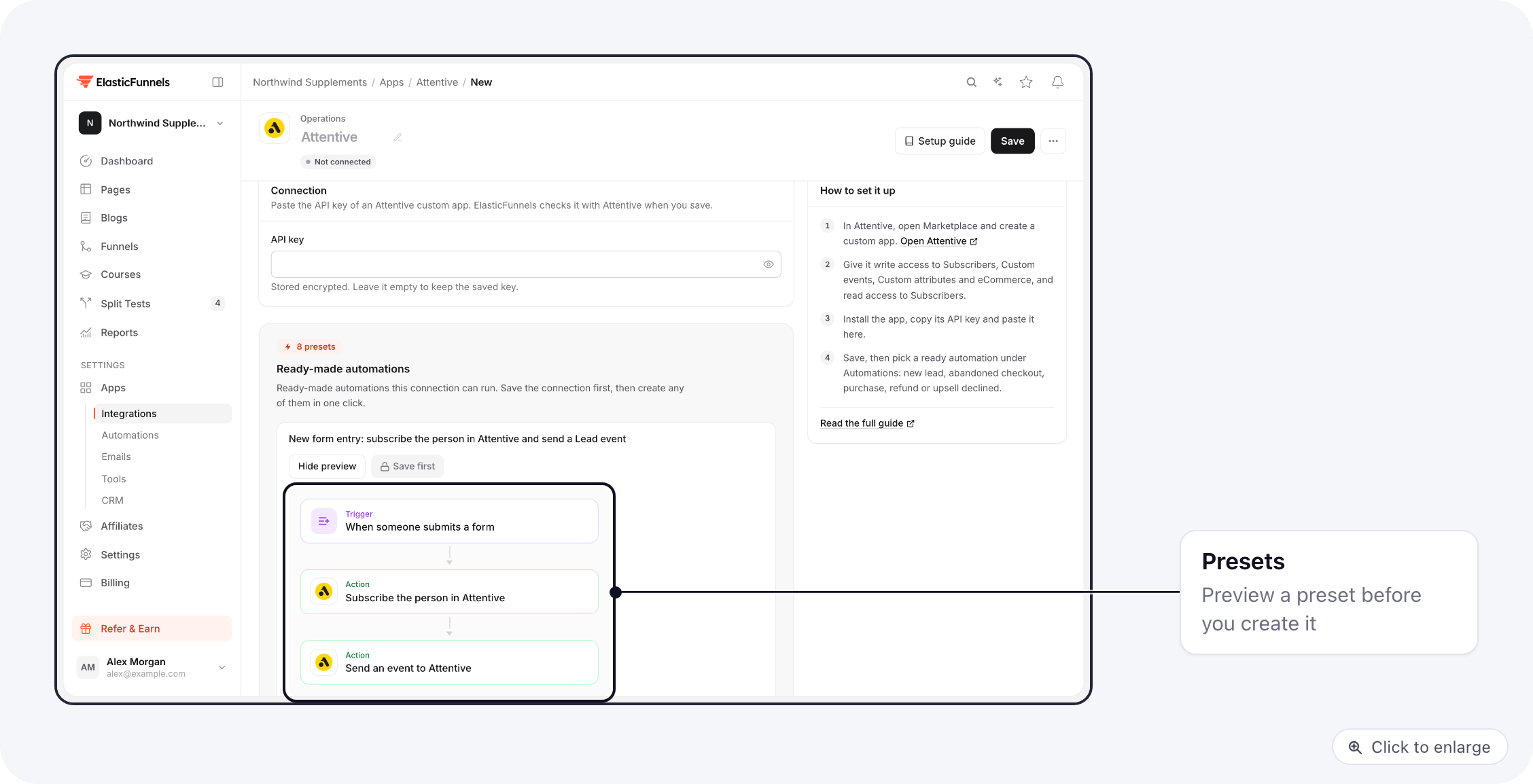
Start from a preset (below), or open Automations and add Attentive steps after any trigger.
Presets
In Attentive, build a journey per event: for example a journey that starts on the custom event
Checkout abandoned, and one that starts on Refund.
Stopping the abandoned checkout journey
Attentive has no call that stops a journey from outside. Set the journey’s exit condition to made a purchase in Attentive. The purchase preset sends that purchase as soon as the order comes in, so a buyer leaves the abandon journey on their own.Upsell declined
A declined upsell is a click on your page, not an order, so it runs from a page event:1
Create the automation
Create the Upsell declined preset. Its trigger is On Page Event Customer Automation.
2
Run it from the No thanks link
Open the funnel’s Page Events, add an event on the upsell page for the click on your No thanks link, and connect an Execute Automation on Customer node. Pick the Upsell declined automation in it. See Page events.
Consent
Only text people who agreed to receive texts from you.- The subscribe step subscribes a phone to texts only when its SMS consent field reads yes, true, on or 1. The presets fill it from the SMS box of your form, or from the SMS box of your checkout.
- A purchase on its own never subscribes anyone to texts. Orders from ClickBank, BuyGoods, Digistore24 and JVZoo carry no SMS consent, so those buyers are not subscribed to texts. Events and attributes are still sent for them, which matters only if they are already Attentive subscribers.
- Subscribe texts without SMS consent is off by default. Turn it on only if you collect consent somewhere the step cannot see. With it on, every phone in the step is subscribed, and texting people who never agreed can break TCPA and carrier rules.
- When Email consent reads no, false, off or 0, the email is not subscribed.
- A person who is already subscribed is left alone.
- Sign-up source ID is optional: the ID of an API sign-up unit in Attentive, so its welcome journey runs. Single opt-in skips Attentive’s reply-Y confirmation text; use it only when your form records clear consent.
Event properties and attributes
Write properties and attributes one per line, asname=value. Values can use variables from earlier steps:
Troubleshooting
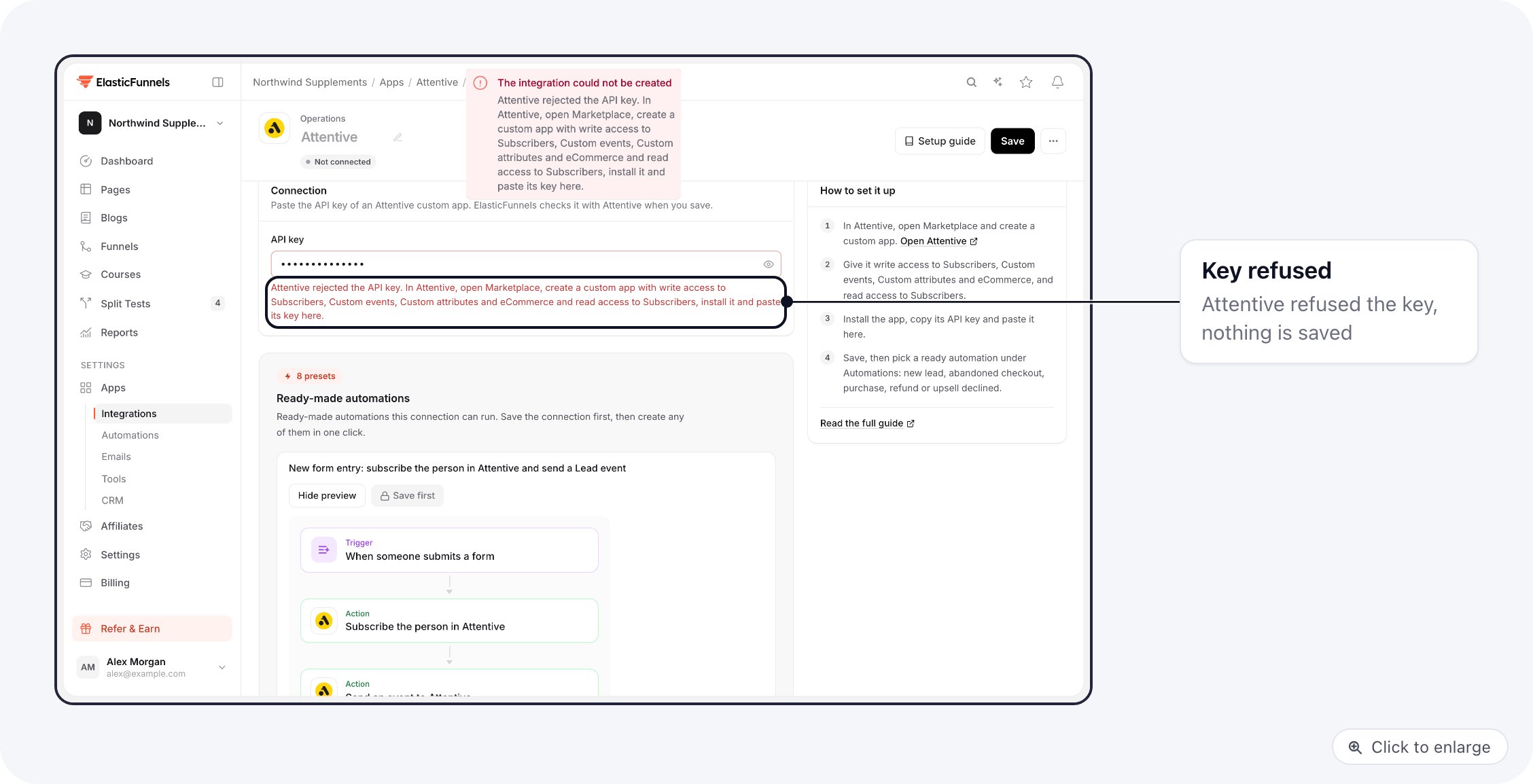
Saving the integration says Attentive rejected the API key
Saving the integration says Attentive rejected the API key
The key was revoked, the app was uninstalled, or the key was copied incompletely. Copy the key of the installed custom app again and paste it.
A buyer was not subscribed to texts
A buyer was not subscribed to texts
The order had no SMS yes: the SMS box was not ticked, or the order came from a merchant that does not pass consent. This is on purpose, see Consent.
An event arrived but no journey started
An event arrived but no journey started
Check the journey’s trigger uses the exact event name, including capitals. Attentive does not start journeys from events that happened more than 12 hours ago, so a run that was paused for longer will not start one.
A step fails with a permission error
A step fails with a permission error
The custom app is missing a scope. Add it in Attentive (Subscribers, Custom events, Custom attributes, eCommerce) and reinstall the app.