API key
1
Open API Security
Log in to Mailgun. Click your account name at the top right and choose
API Security.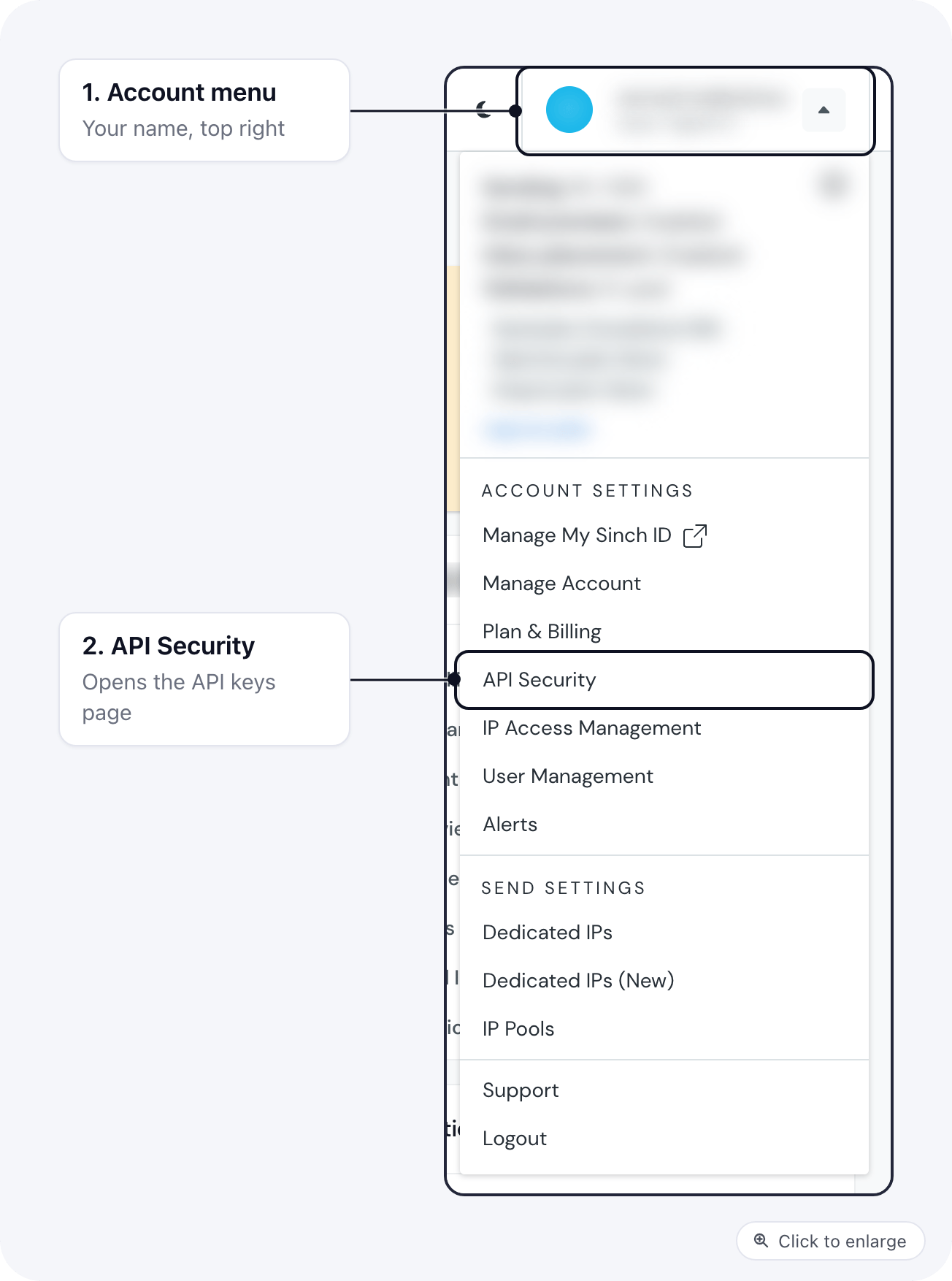
2
Create a key
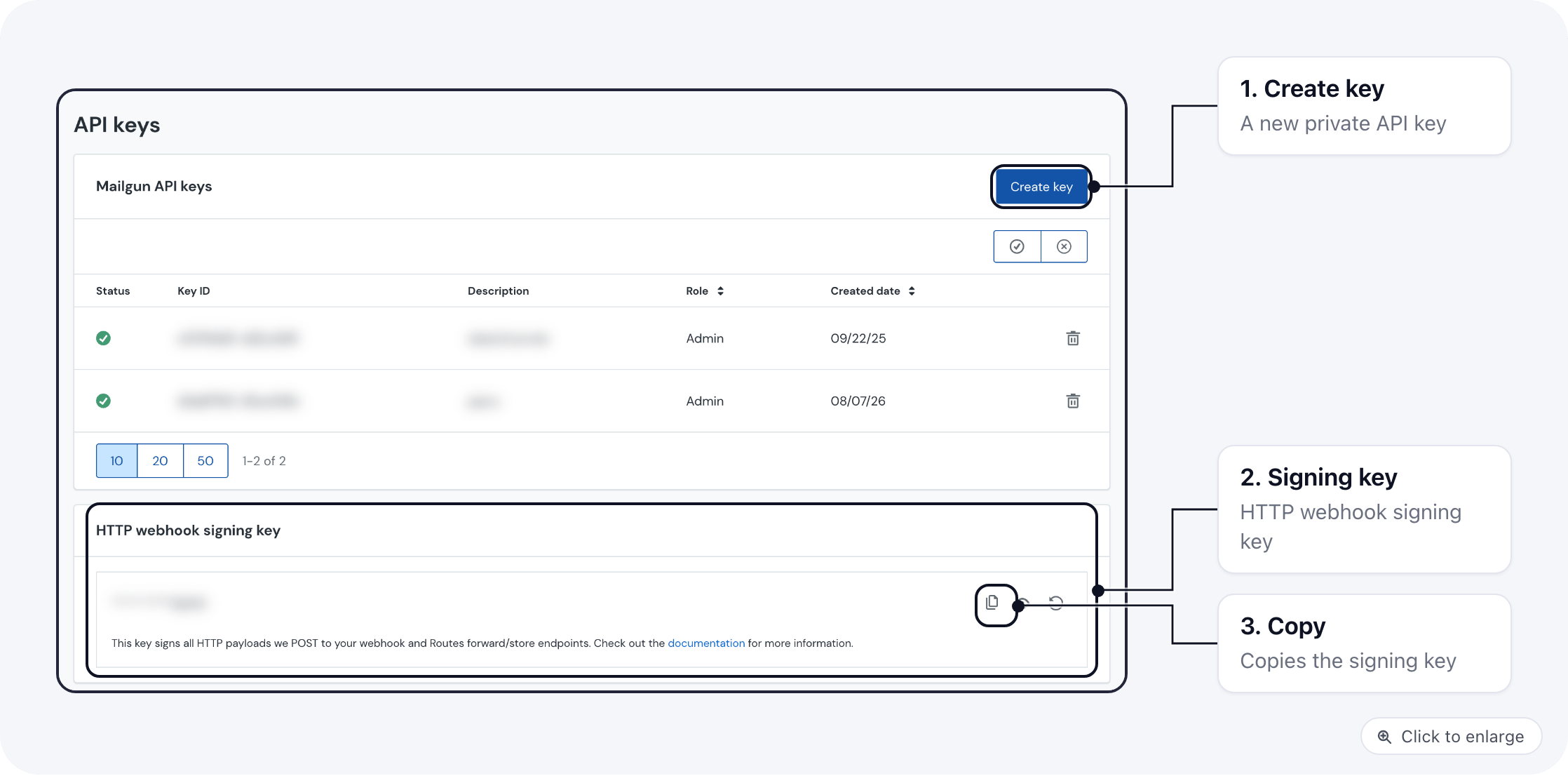
On the API keys page, click Create key, give it a description such as “ElasticFunnels” and
create it. Copy the key straight away: Mailgun shows it in full only once.
3
Paste it in ElasticFunnels
Paste it into Private API key, and enter the Sending domain exactly as it appears under
Sending → Domains in Mailgun. The key is checked with Mailgun when you save.
Webhook signing key
Mailgun signs every webhook it sends with one key per account. ElasticFunnels uses it to check that delivery events really come from Mailgun, and refuses events it cannot verify.1
Find the key
Open API Security again from the account menu. The HTTP webhook signing key sits below your API
keys.
2
Copy it
Click the copy icon next to the key. Do not click rotate: a new key stops events until you paste it into
ElasticFunnels too.
3
Paste it in ElasticFunnels
In the account’s Delivery stats, paste it into HTTP webhook signing key and save.
Domain and region
Mailgun keeps US and EU domains apart. A domain created in the EU region lives onapi.eu.mailgun.net,
and the US API does not know it. So when your domain is an EU one, set Mailgun region on the account in
ElasticFunnels to EU (api.eu.mailgun.net); for a US domain pick US (api.mailgun.net). One-click
setup uses the same setting.
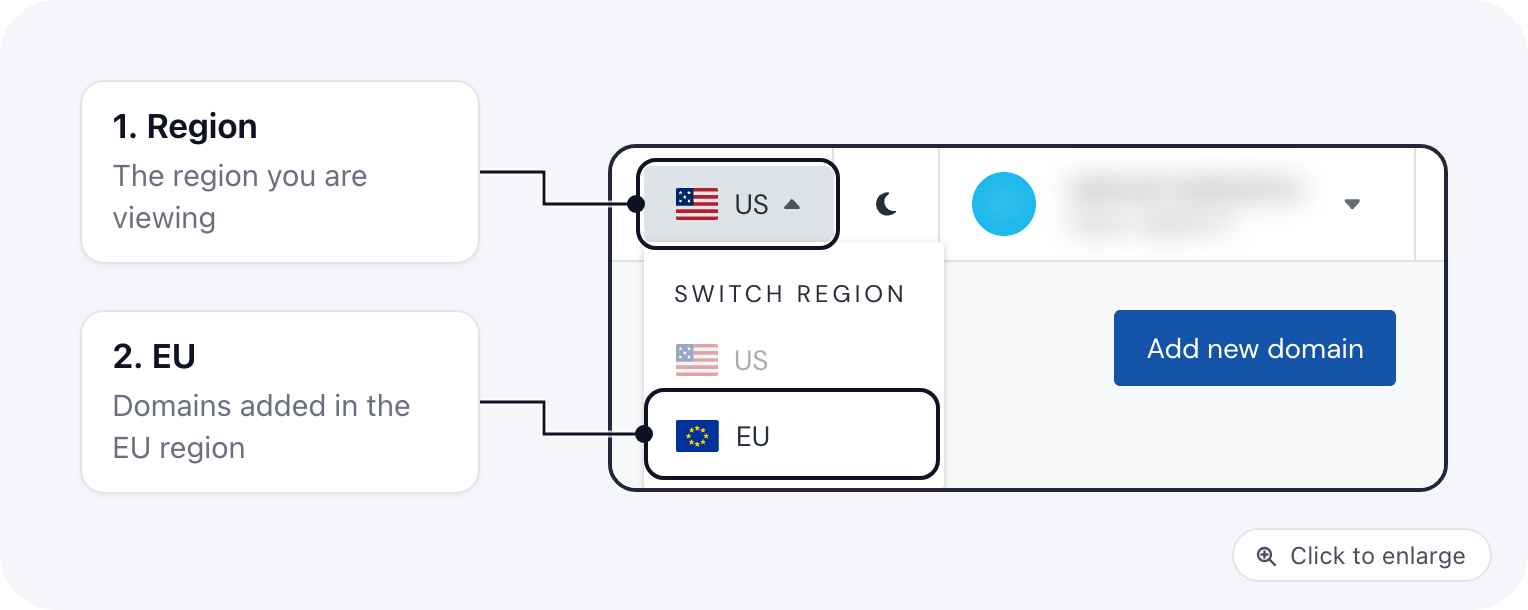
To check which region a domain is in, use the region switch in the top bar of Mailgun and look under
Sending → Domains: the domain is listed in the region it belongs to.