
API key
1
Open API Keys
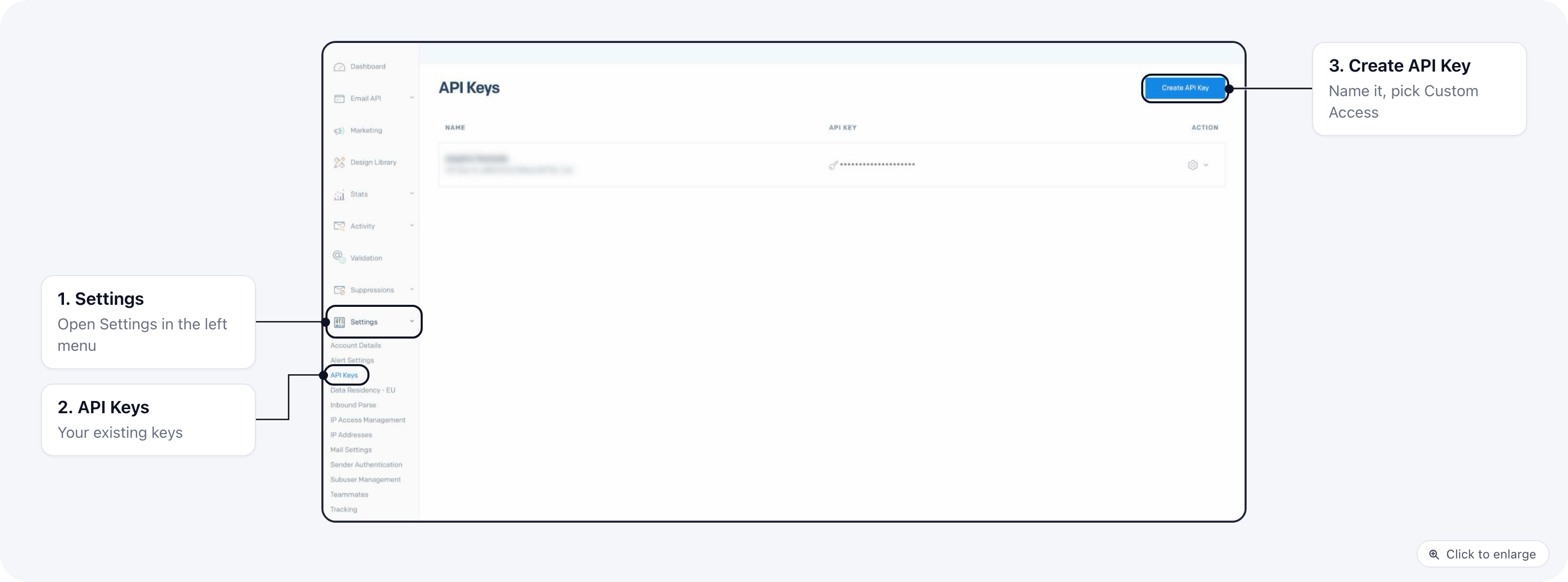
Log in to SendGrid and go to Settings → API Keys.
2
Create the key
Click Create API Key, name it (for example “ElasticFunnels”) and choose Custom Access. Give
Mail Send full access. For one-click webhook setup, also give Mail Settings full access: that
is where the Event Webhook lives. Full Access works too.
3
Copy it once
Click Create & View and copy the key. SendGrid shows it only once. It starts with
SG.4
Paste it in ElasticFunnels
Paste it into API key on the account. It is checked with SendGrid when you save.
Verification key
SendGrid signs Event Webhook requests when Signed Event Webhook is on. The public key that checks those signatures is the verification key.1
Open Event Webhooks
Go to Settings → Mail Settings and click Event Webhooks under Webhook Settings.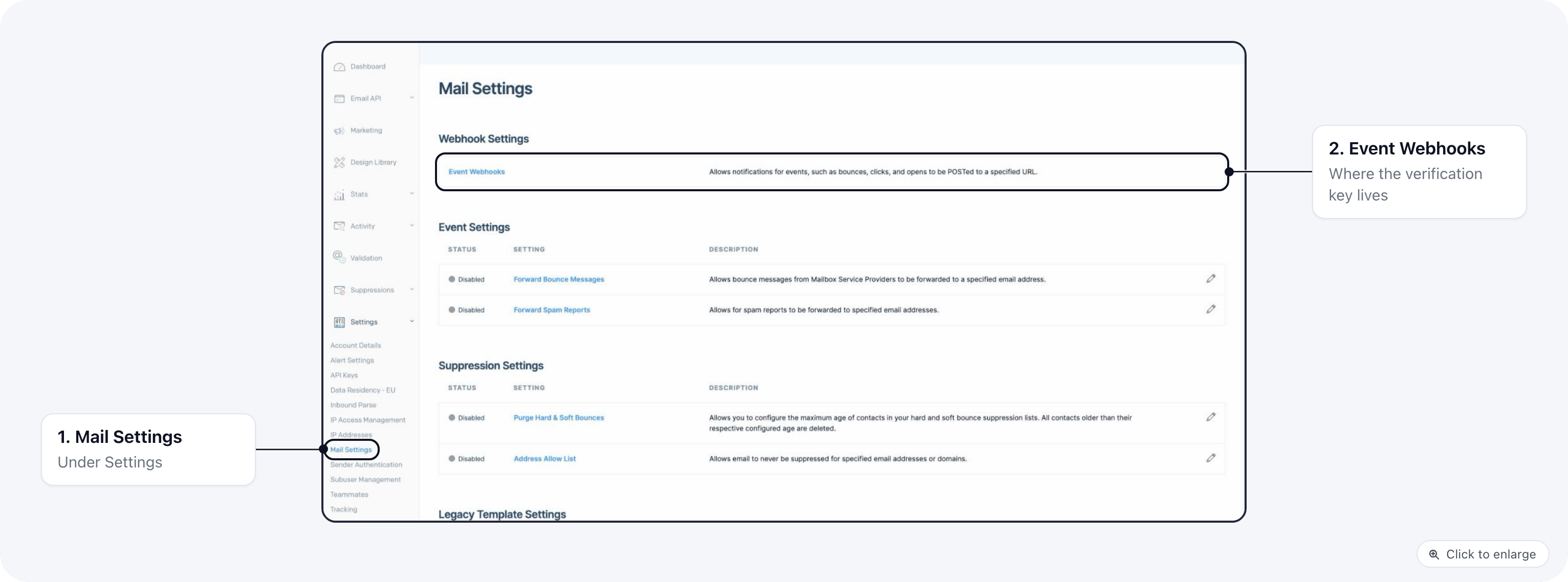
2
Create or edit the webhook
Click Create new webhook, or edit the one ElasticFunnels should use. Paste the webhook URL shown in
the account’s Delivery stats under Set it up by hand, and choose the events delivered, open,
click, bounce, dropped, spam report and unsubscribe.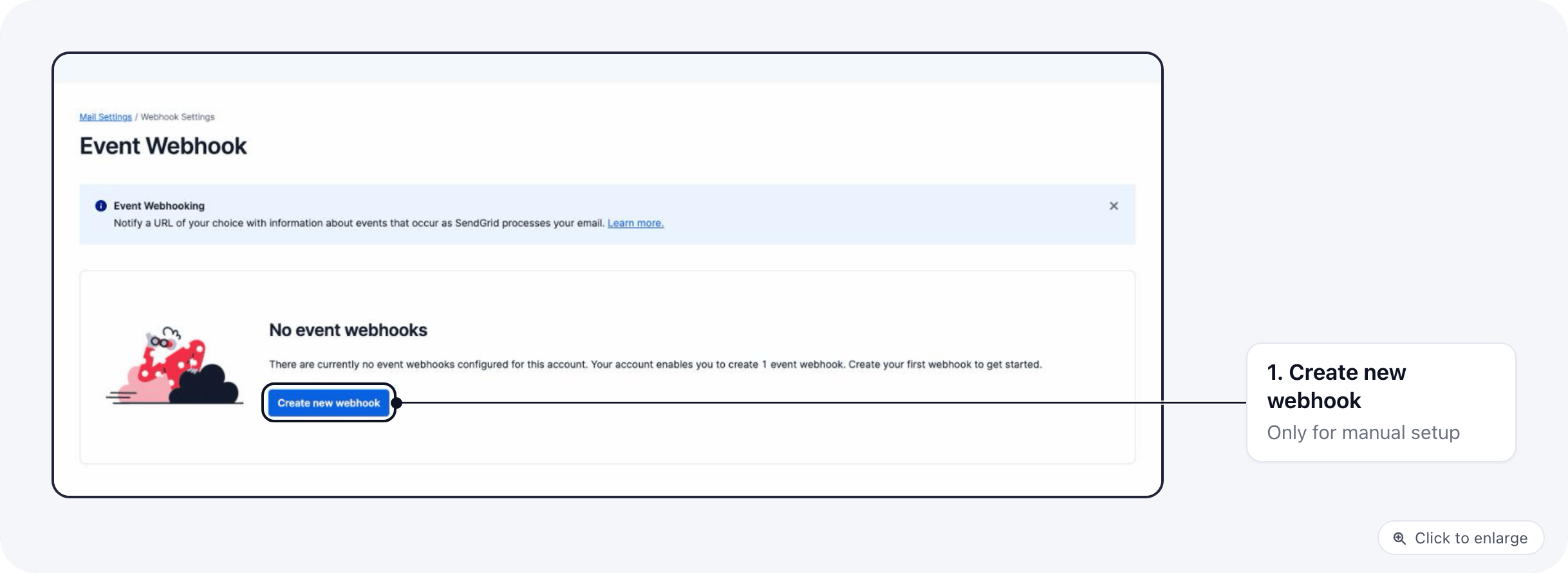
3
Turn on signing
Turn on Signed Event Webhook and save. The Signature verification section of the webhook then
shows the public key.
4
Paste it in ElasticFunnels
Copy that key and paste it into Verification key (public key) in Delivery stats, then save.