
What each event changes
- Campaign reports count people, so a person who opens a campaign five times counts once. A click counts as an open too, for readers whose mail app blocks the open pixel.
- Email logs are under Settings → Logs → Email Logs. See Emails Not Sending.
- Suppression list: campaigns skip every address on it. See Transactional emails and campaigns.
Postmark, Brevo and Resend: added when you save
When you save one of these accounts, ElasticFunnels adds the webhook to your provider account for you:- Postmark: one webhook on each message stream, transactional and broadcast.
- Brevo: one transactional webhook for delivered, bounces, blocked, spam, invalid address, opened, click and unsubscribed.
- Resend: one webhook for delivered, bounced, complained, opened, clicked, failed and suppressed. This needs a full access API key.
Accounts connected before 18 October 2026 have no webhook yet. Open the account and click
Save once. Nothing else changes.
Resend with a sending-only key
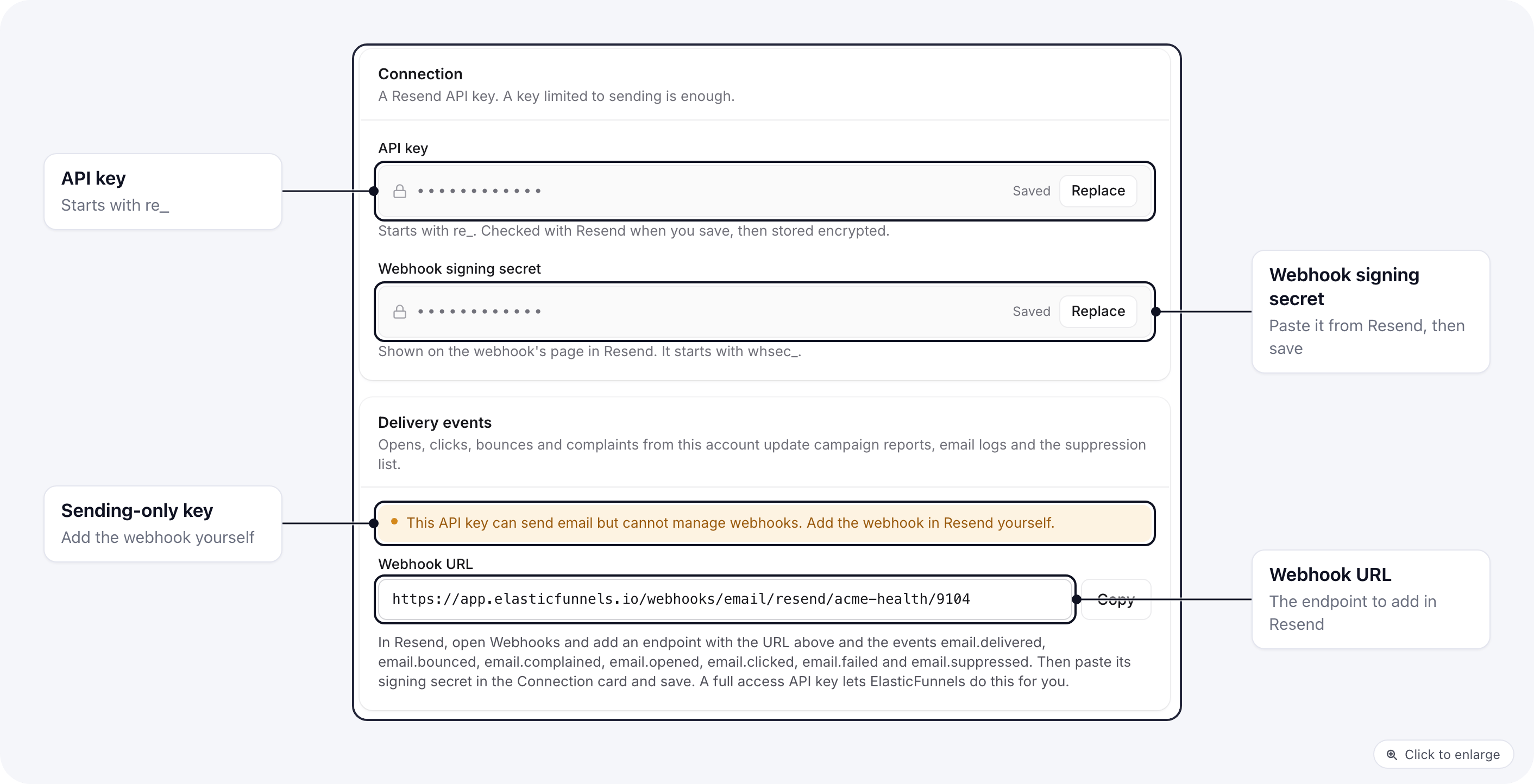
- In Resend, open Webhooks and add an endpoint with the URL from the card.
- Pick the events
email.delivered,email.bounced,email.complained,email.opened,email.clicked,email.failedandemail.suppressed. - Copy the webhook’s signing secret (it starts with
whsec_), paste it in Webhook signing secret and save.
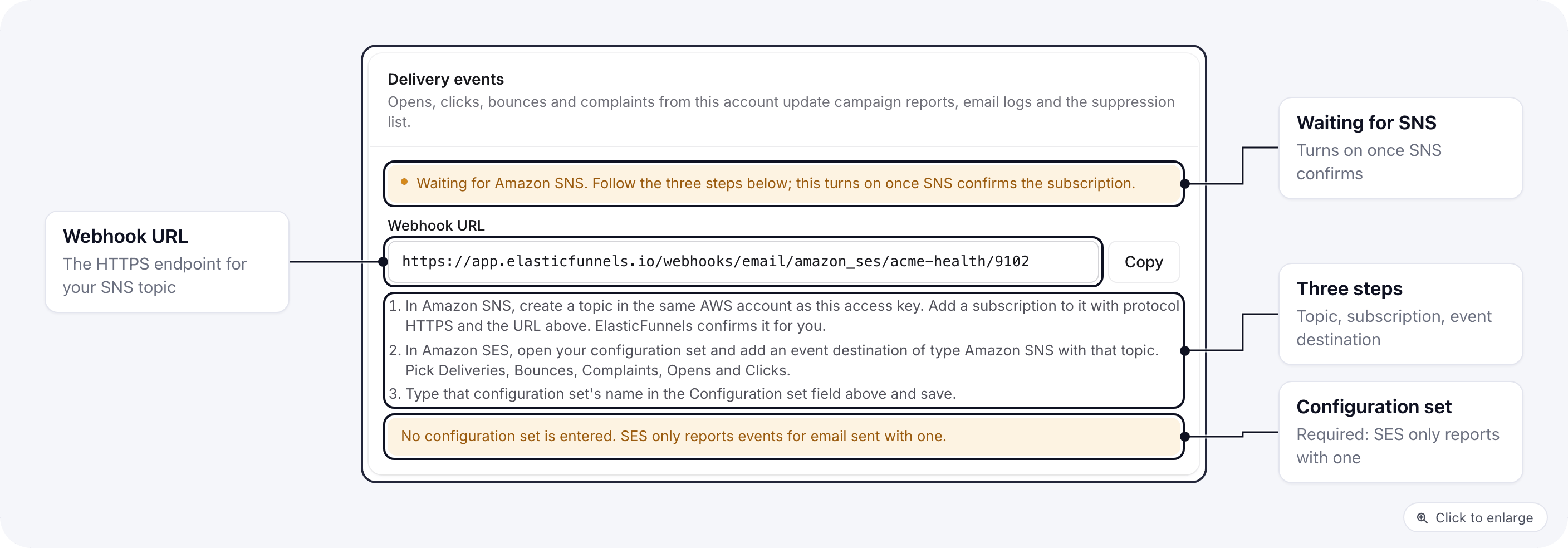
Amazon SES: three steps in AWS
1
Create an SNS topic and subscribe the URL
In Amazon SNS, create a topic in the same AWS account as the access key you pasted. Add a
subscription to it with protocol HTTPS and the Webhook URL from the card. Leave raw
message delivery off. ElasticFunnels confirms the subscription for you.
2
Send SES events to the topic
In Amazon SES, open your configuration set and add an event destination of type Amazon SNS
with that topic. Pick Deliveries, Bounces, Complaints, Opens and Clicks.
3
Enter the configuration set
Type that configuration set’s name in the account’s Configuration set field and save.
In the campaign settings
When you pick a sending account for a campaign, its delivery tracking card shows Receiving events once the webhook is on. For Postmark, Brevo, Resend and Amazon SES it shows Not set up otherwise, with an Open account link to the account page where the webhook is set up. A campaign sent without events still goes out. Its report then has no opens, clicks or bounces.Related docs
- Email Sending Accounts: connect SES, Postmark, Brevo and Resend
- Emails Not Sending: the email log and what each status means
- Emails overview: templates, campaigns and who sends your email