
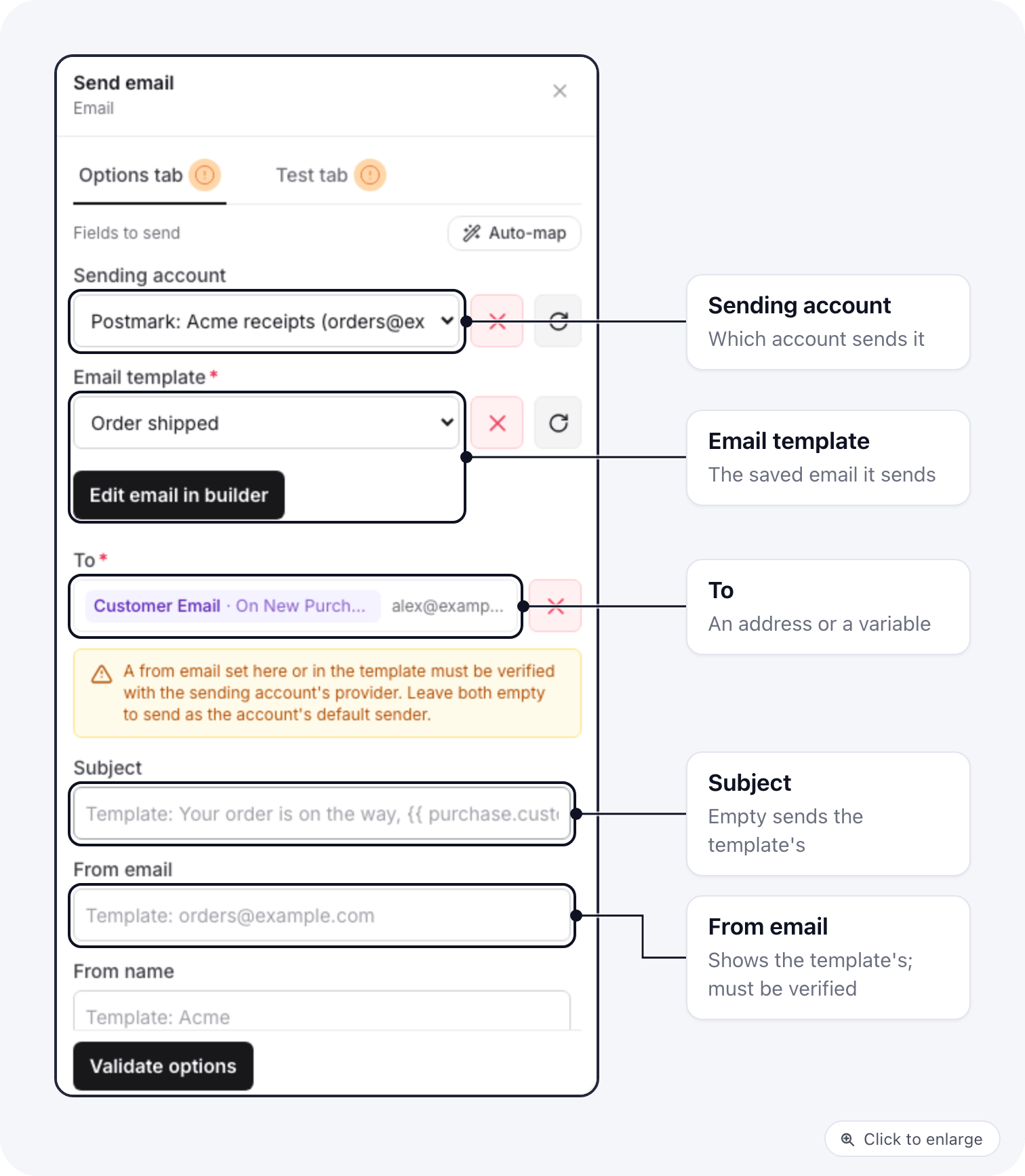
The fields
Variables in the template
Write variables in the email builder the same way as in any other email, for example{{ purchase.customer_first_name }}. When the step runs, they are filled with the data of that
run: the trigger’s data and the output of the steps before it. The variable picker in a step
inserts the same values in the form {trigger.customer_first_name}, and both forms work in the
template.
A value that came from a visitor, such as a name typed into a form, is shown as text. It can’t
add links, images or other markup to the email.
A variable with no value in that run prints nothing. See Variables for
what each trigger provides.
Which account sends it
With Sending account picked, that account sends the email. Leave it empty and the step uses:- your brand SMTP server, when the brand has one,
- otherwise your brand’s email sending account, when it has exactly one.
Which sender it uses
The from address is chosen in this order:- the From email typed in the step,
- the template’s from address,
- the account’s Default From Email.
Steps made before templates were required
Before October 18, 2026, picking a template copied its subject and body into the step. Those steps keep sending the body saved in them, and the step shows a notice about it. Pick an email template in the step to send the template instead.When it fails
The step fails, and the reason is shown on the run, when:- the template was deleted,
- the template has no subject and the step sets none,
- the provider refuses the email (an unverified from address, a revoked key),
- no account can send it.
The older per-provider steps
The Mailgun, SendGrid and Mailrelay send steps are still in the step list and keep working in the automations that use them. They only send through their own provider, and they keep a copy of the template made when you picked it. Use Send email for Amazon SES, Postmark, Brevo, Resend or your SMTP server, when you want template changes to reach the automation, or when you want to switch providers later by changing one field.Related docs
- Email Sending Accounts: connect SES, Postmark, Brevo and Resend
- Variables: insert values from earlier steps
- Run history: see what each run sent and why a step failed