
Email and SMS campaigns are on for every brand, under Campaigns in the sidebar. SMS campaigns also need SMS
set up for the brand. How to build and send one: Email campaigns and
SMS campaigns.
How the winner is picked
Each version’s score is its click rate (or open rate) in the test group, minus three times its rate of
unsubscribes and complaints (for texts, opt-outs). The highest score wins. A tie goes to version A, or to the
SMS campaign’s main Message.
A version that gets more clicks but drives people to unsubscribe can lose to a calmer one. That is what the
penalty is for.
Everyone outside the test group waits and gets only the winning version.
Email campaigns
Set up the test
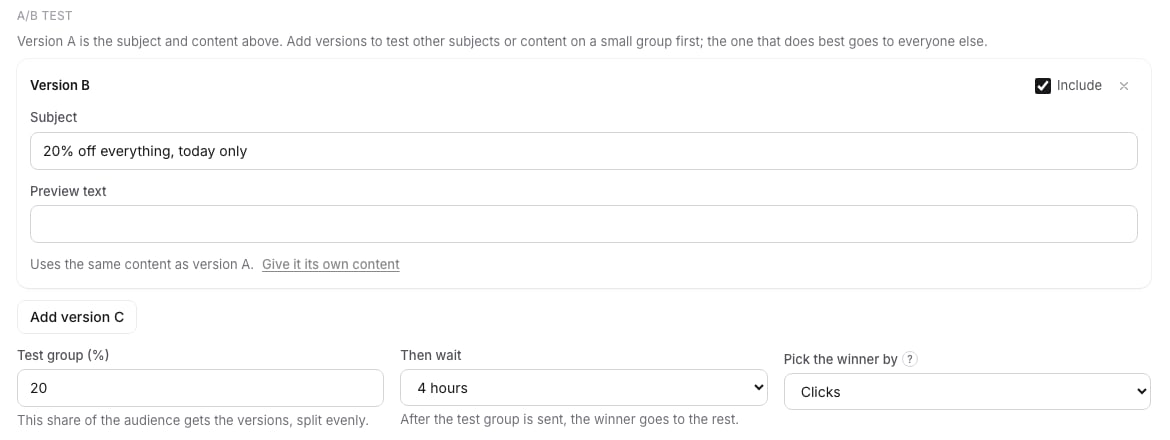
- Open the campaign and go to the Settings step. Fill in the Subject and Preview text as usual: that is version A.
- Under A/B test, click Add version B.
- Give version B its own Subject, Preview text, or both. An empty field shows version A’s text as a hint.
- To test different content, click Give it its own content. The email builder opens with a copy of version A’s content for you to change (version A needs content first). Use version A content drops the copy again.
- Set the Test group (%), how long to Then wait, and Pick the winner by.
- Continue to Review and send and send or schedule the campaign as usual.
Clicks or opens
Pick Clicks unless you have a reason not to. The ? next to Pick the winner by explains why: Apple Mail Privacy Protection loads every email in the background, so many opens are counted for people who never read it. Clicks show who acted. Unsubscribes and complaints count against a version with either metric.Follow the test on the report
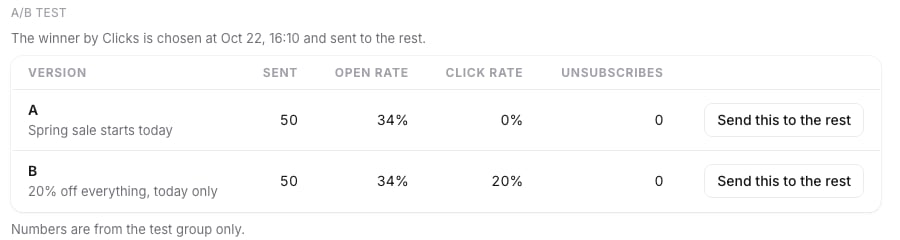
- Sending the versions to the test group while the test group goes out.
- The winner by Clicks is chosen at a set time, while the campaign waits.
- Version B won and was sent to the rest. once the winner is picked. The winning row has a Winner tag.
- The test stopped before a winner was picked. when the campaign was stopped during the test.
Send a version to the rest yourself
While the test is running or waiting, every row has Send this to the rest. Click it and confirm with Send now: everyone who has not received the email yet gets that version straight away, and the wait is skipped. Use it when one version is clearly ahead and you do not want to wait.SMS campaigns
- In the campaign’s Message step, write the main text in Message.
- Under Variants, click Add a variant. It starts as a copy of the main text; change the wording.
- Set the Test group size (%) and Pick the winner after. Clicks are counted until then.
- Untick On to keep a variant without sending it.
Campaign tests on the Split Tests page
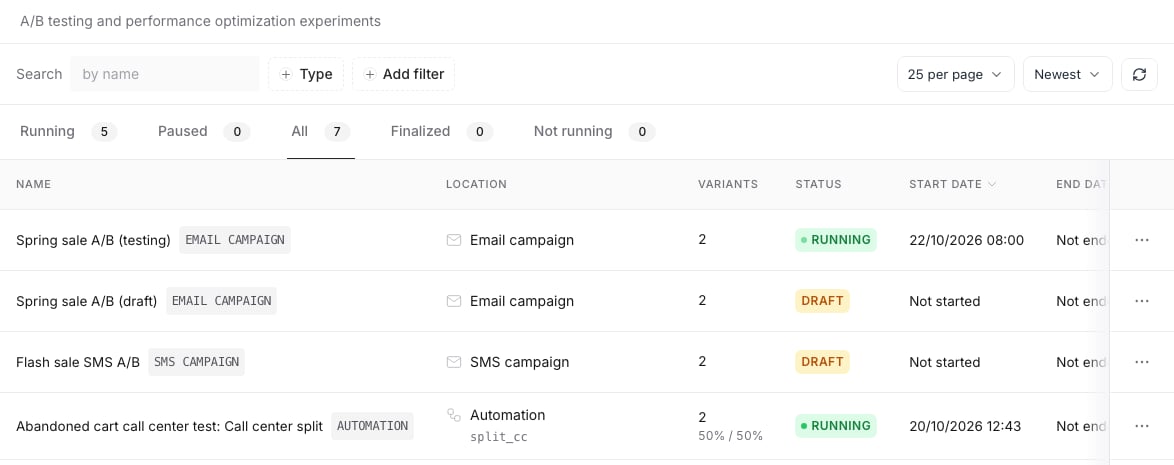
- Each one has an Email campaign or SMS campaign tag, with the number of versions under Variants. Once a winner is picked, Winner: and the version follow (Winner: B, or a variant number for SMS).
- Click the row or its location to open the campaign report, where the test is run and decided.
- The Type filter has Email campaign A/B test and SMS campaign A/B test, shown only when the brand has that channel turned on.
- A sending campaign counts as Running, a sent one as Finalized, and a stopped or failed one as Not running with the status Stopped. Drafts and scheduled campaigns are under All.
- Campaign rows cannot be deleted from Split Tests. Delete the campaign itself instead.
Related docs
- Split test results: page and funnel tests
- Automation split tests: split an automation’s contacts between paths
- Emails overview: templates, campaigns and where Emails sits
- SMS compliance: the checks every text goes through, campaigns included