
Home
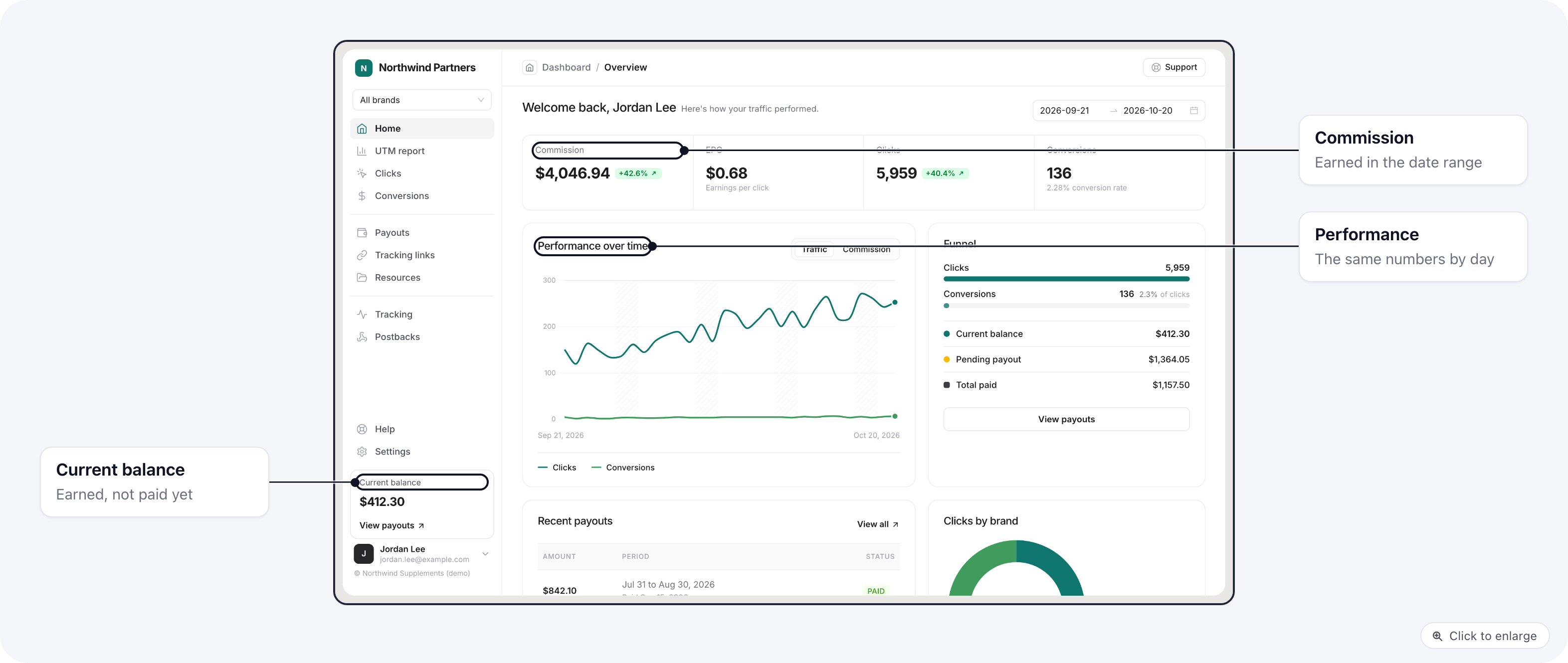
- Commission, EPC (earnings per click), Clicks and Conversions for the date range picked at the top.
- Performance over time: the same numbers by day.
- Funnel: from clicks to conversions.
- Clicks by brand, when they promote more than one brand.
- Recent payouts, and the Current balance they have earned and not been paid yet.
UTM report
UTM report groups their traffic by Source, Medium, Campaign, Term or Content, with unique sessions, conversions, conversion rate, sales and commission for each value. Clicking a value drills into it, for example from a source into its campaigns, and the trail at the top goes back.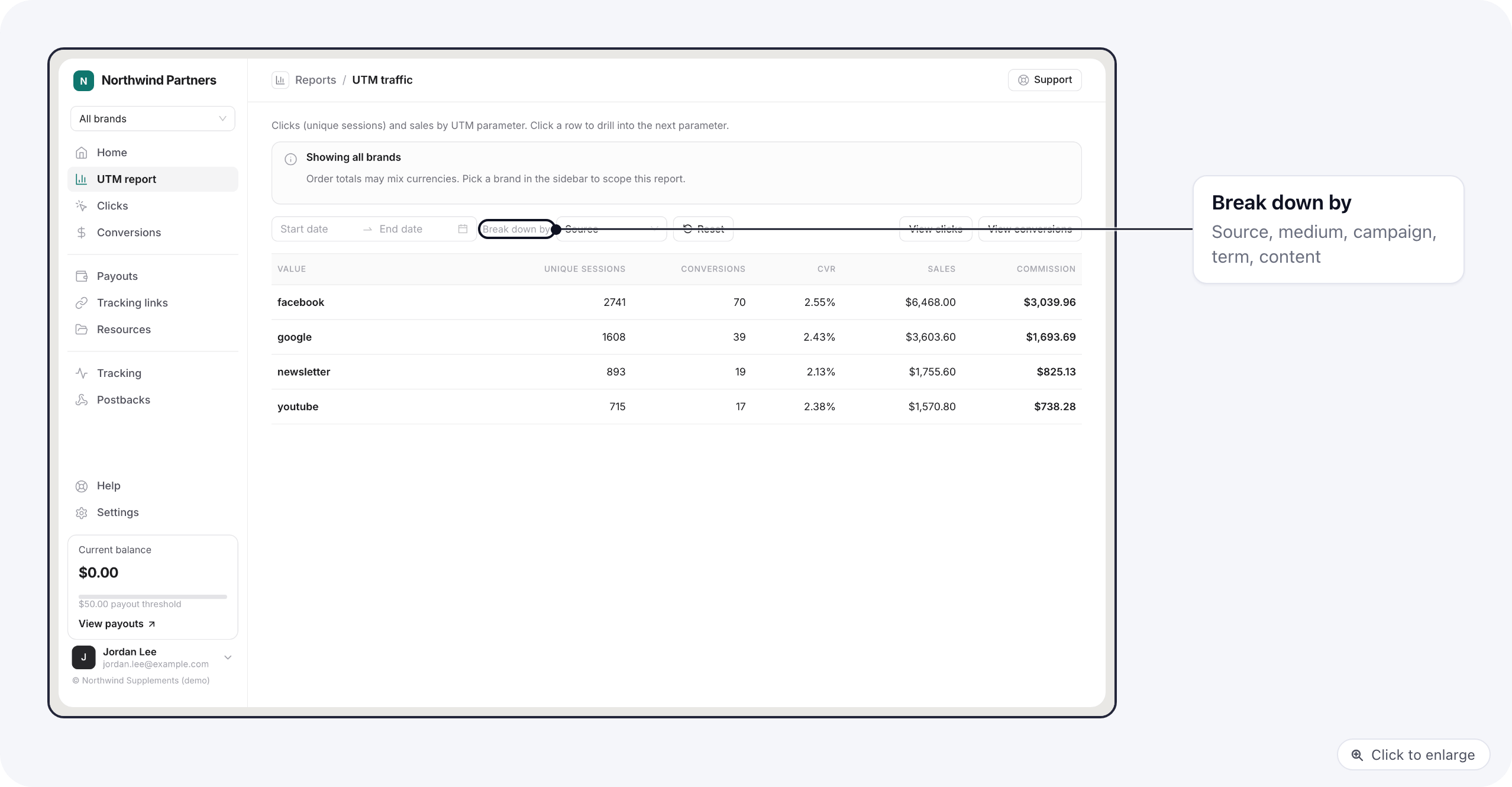
Clicks
Every click on their links: date, landing URL, IP address, referrer, the five UTM values and the five sub IDs. They can search, pick the columns to show and click a row for its details.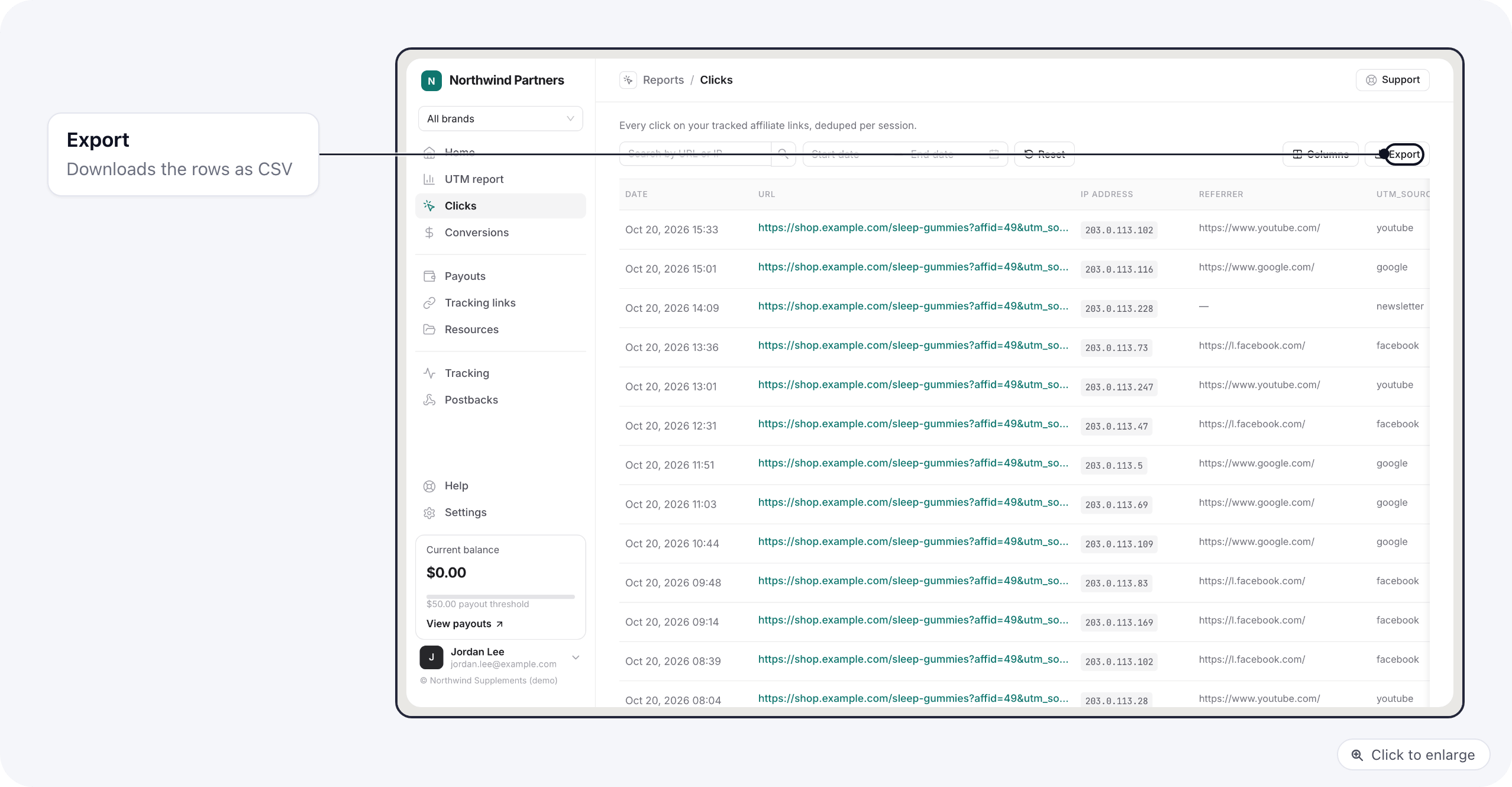
Conversions
Every sale credited to them: date, order total, their commission, status, and the UTM values of the click that brought it. The merchant’s order id is not shown to affiliates.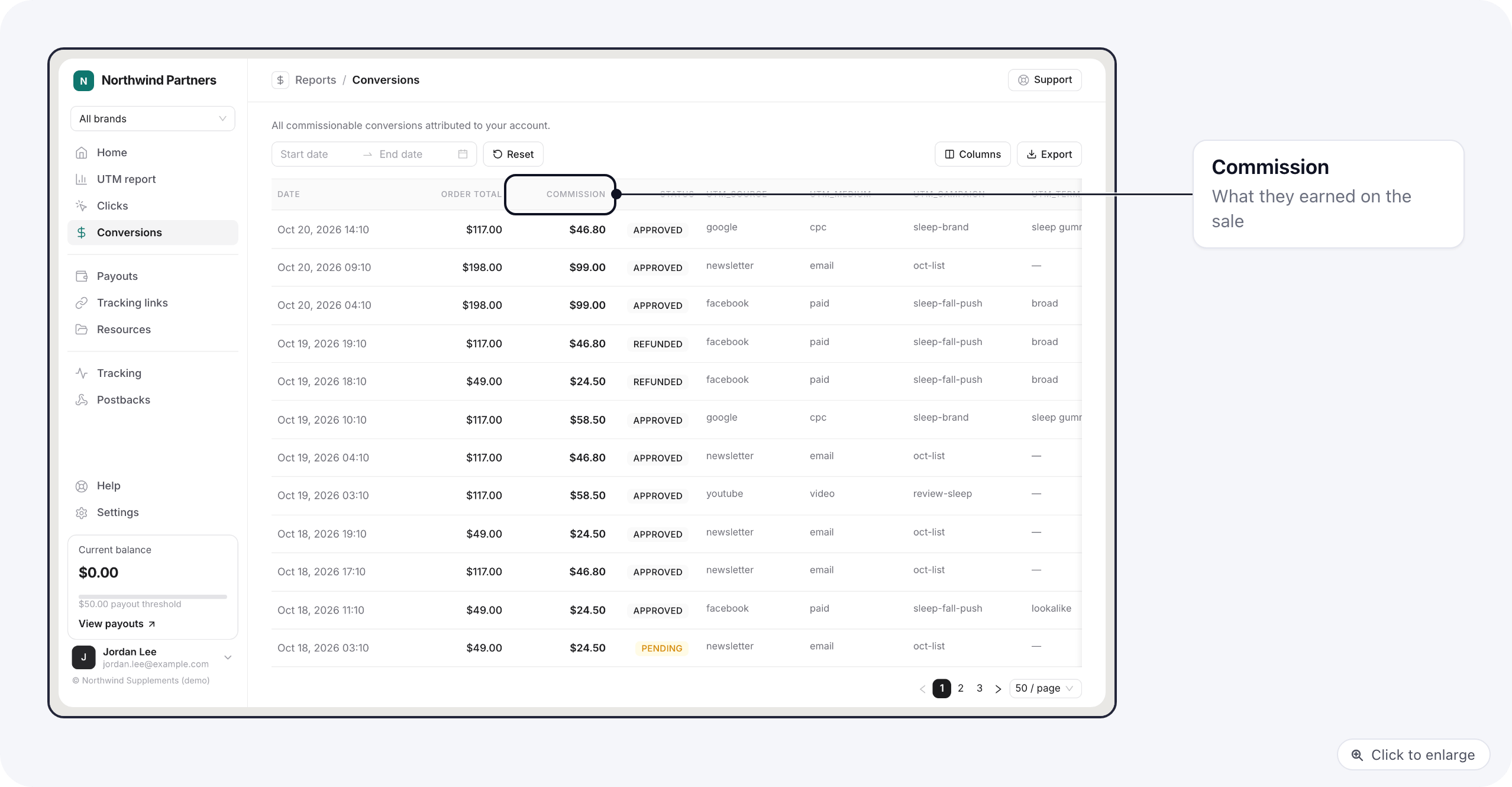
Related
- Tracking links and resources: where the clicks come from.
- Payouts on the portal