
Add payout details
Until an affiliate adds payout details, the portal shows Add payout details to get paid in the menu. They add them under Settings → Payout details, which stays there to change them later. Links in portal emails open the same page.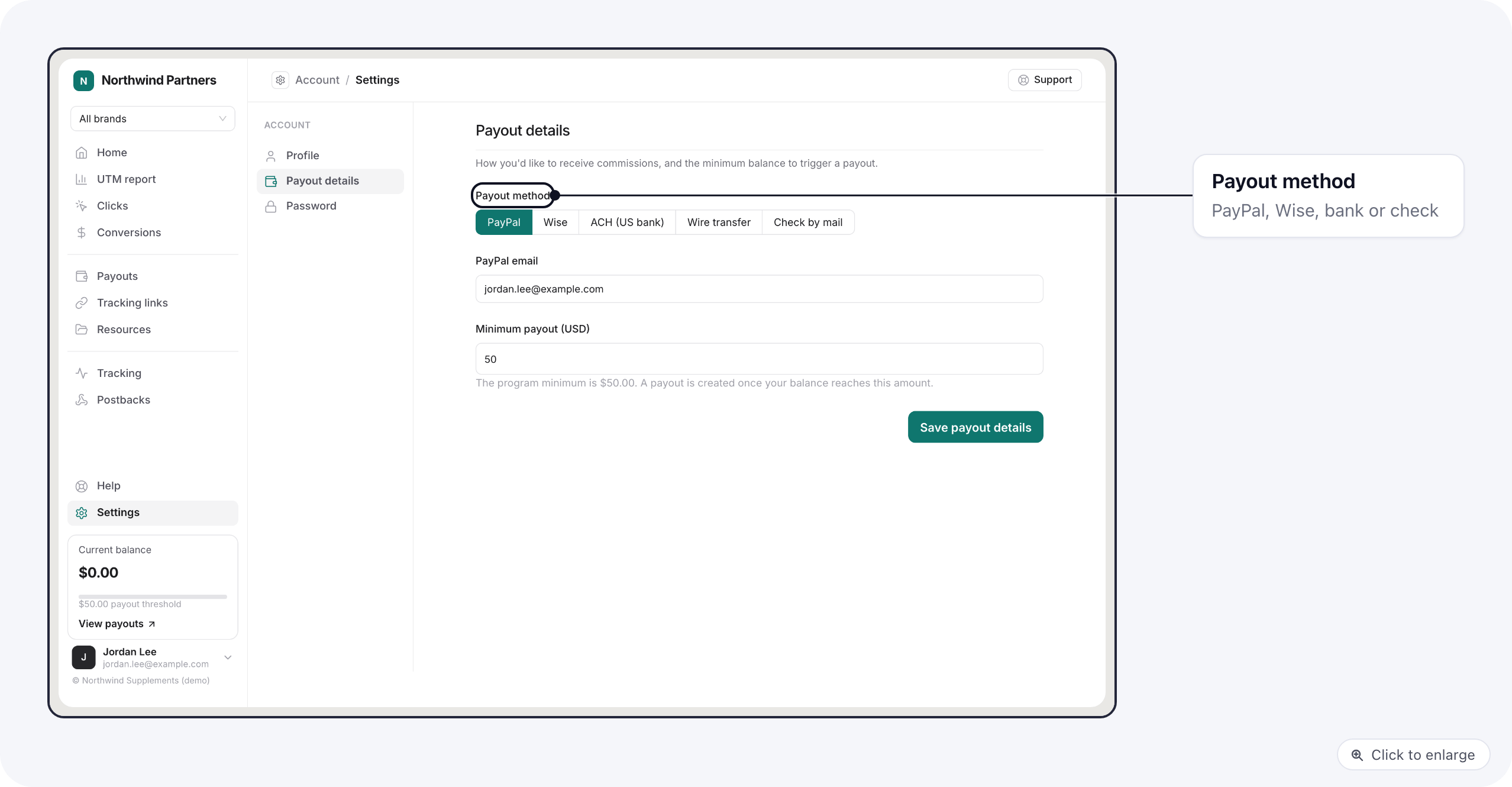
Saved account numbers are shown masked; leaving the field blank keeps the one on file.
Minimum payout (USD) is the balance at which they want a payout. It starts at your portal’s
default minimum and cannot go below it. Earnings under the minimum
carry over to the next payout.
You see the method in the Payment method column of the portal’s Affiliates list, and under the affiliate’s name
on each payout. If the portal requires a payout method, an affiliate
without complete details gets no payout until they add them, and is emailed to do so. Their earnings wait for them.
Follow payouts
Payouts lists their payouts with the period, the date it was created, amount, method, status, invoice status and the date it was paid. Until a payout is paid, its method shows the payout method on file (for example PayPal, marked On file); once you mark it paid it shows the method you recorded. They can filter by status and export the list as CSV.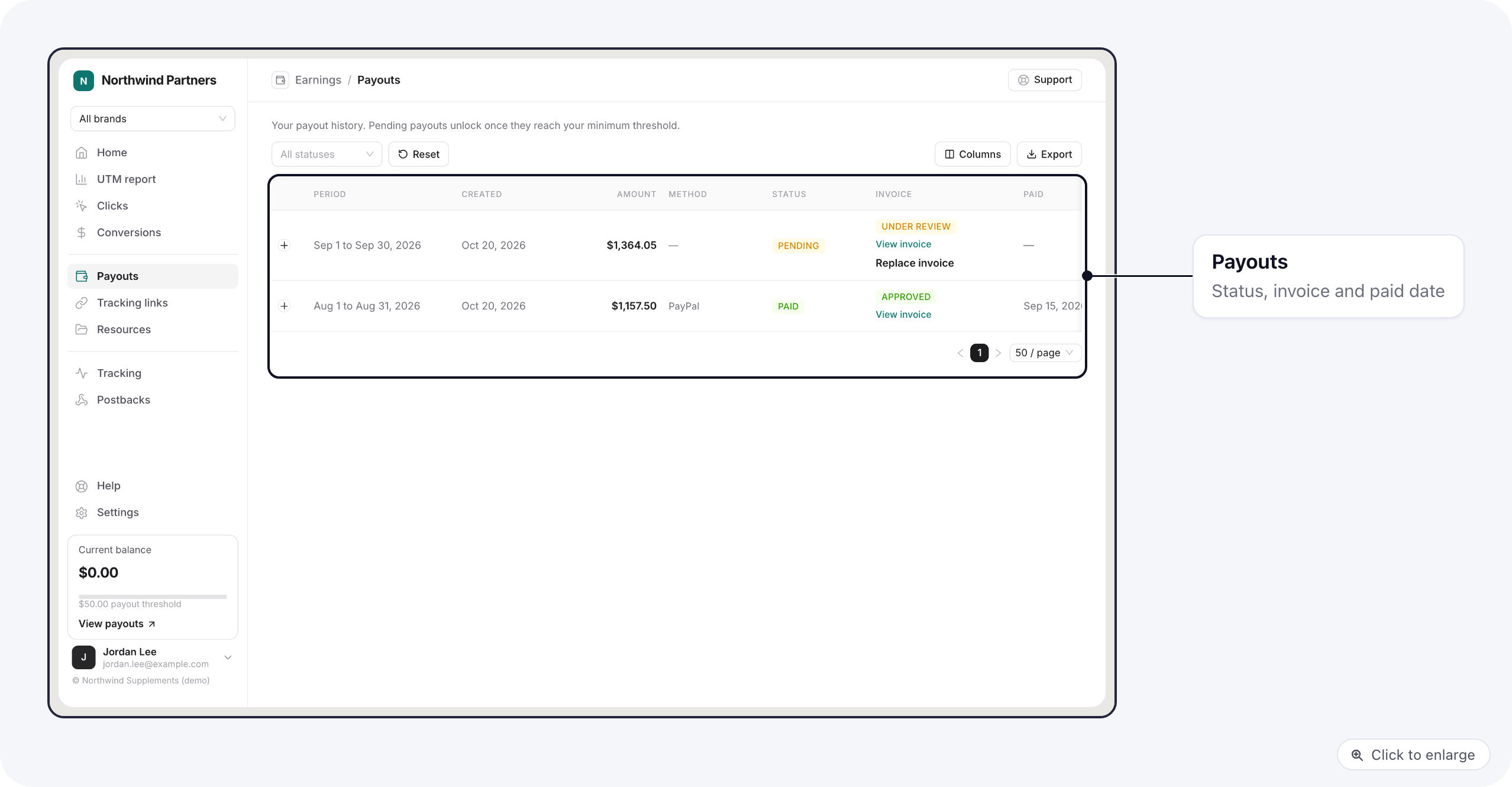
Upload an invoice
When you ask for invoices, the affiliate clicks Upload invoice on a payout, adds the file and, if they like, an invoice number. The invoice then shows Under review until you approve or decline it on your Payouts tab. After a decline they see the reason and can Re-upload. Replace invoice swaps a file still under review. Current balance, in the menu, is what they have earned and not been paid yet. The Home page shows their recent payouts too. When a payout changes status, the affiliate gets an email. You can change its wording in Branding and emails.Related
- Commissions and payouts: your side of the same payouts.